The Best Way To Build A Website With AI In 2026 Is Inside A Visual Builder
Almost any AI website builder can turn a short business description into a homepage. The real test comes later, when you need to restructure a section, update your branding, or add another page that feels like it belongs on the same website.
In 2026, AI website-building tools generally take three different approaches. Some create websites hosted on their own platforms. Others generate a codebase you can develop and deploy. And a third category builds directly inside a visual editor, giving you a website you can continue working on without relying on AI for every change.
Each approach has its advantages, but for businesses that want a website they can comfortably manage and grow, a visual builder with an integrated AI agent makes a compelling case. Let’s explore why, where tools like Divi 5 fit in, and what matters when choosing the right foundation for your website.
A Prompt Is Not a Website
A prompt is just a request. What happens after you submit it depends entirely on the tool you’re using.
Two AI builders might produce remarkably similar homepages from the same description, but what you get behind the scenes can be very different. One gives you a website tied to its hosting platform, another generates a software project, and a third creates editable elements inside a visual builder.
That distinction matters more than you might think, especially when it’s time to make changes.
1. A Hosted Website
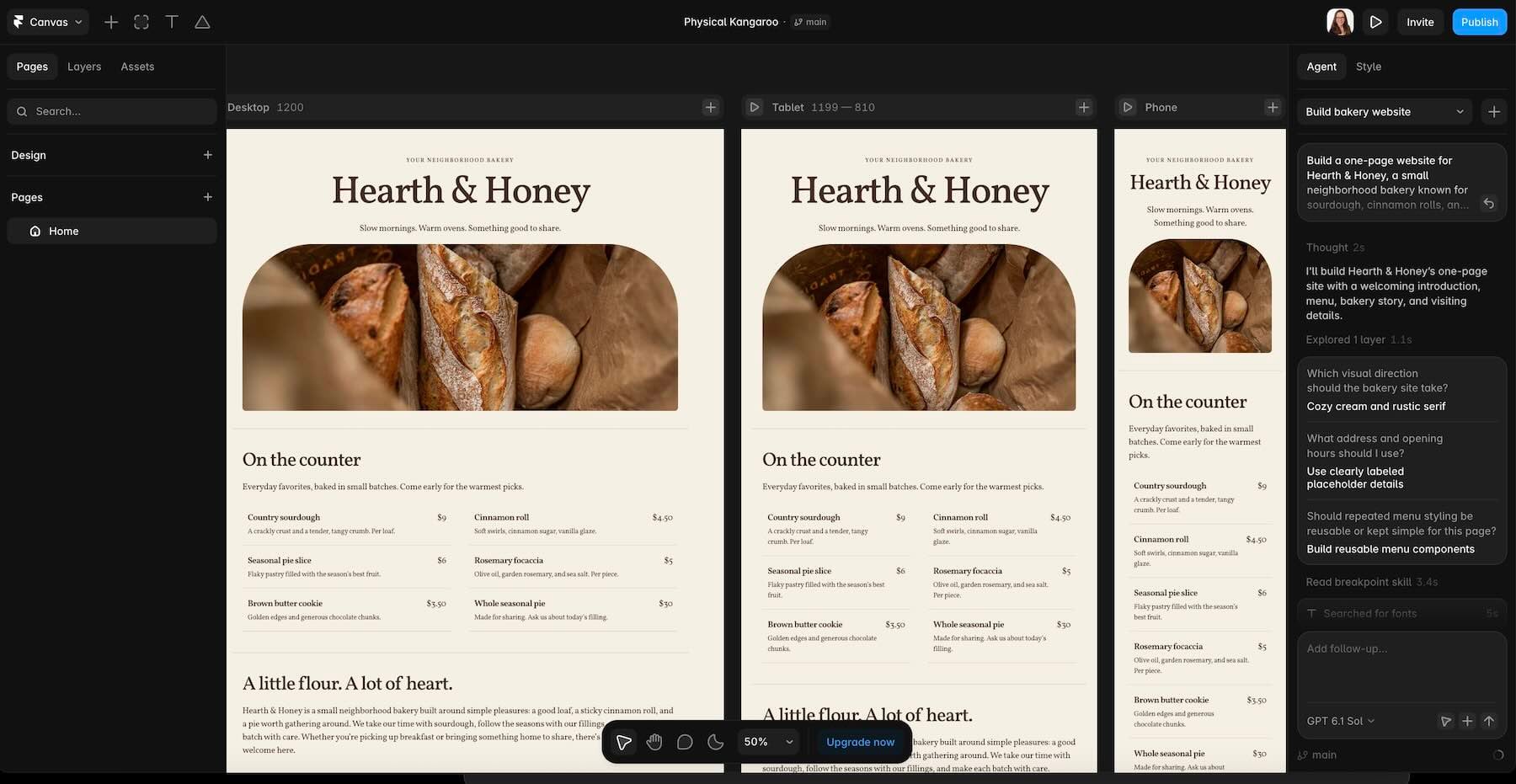
Tools like Wix Harmony, Hostinger AI Website Builder, Durable, and Framer help you create and publish websites within their own ecosystems.
They’re convenient because the editor, hosting, and publishing tools are all part of the same service. You don’t have to arrange separate hosting or manage a complicated deployment process.
The trade-off is that your website remains tied to the platform’s infrastructure and available editing tools. You can customize your design, but moving the entire website elsewhere may require rebuilding it.
2. A Codebase
Platforms like Lovable, Bolt, and v0 take a different approach. Instead of producing a page within a traditional website builder, they generate the underlying code for a website or application.
That opens up possibilities for projects requiring custom functionality, user accounts, databases, or interactive dashboards. You can also connect projects to GitHub, modify the code, and deploy them using supported hosting services.
These platforms increasingly offer visual editing and AI-assisted updates, too. But the finished project still has a codebase and technical dependencies that someone needs to maintain.
For a complex web application, that flexibility can be invaluable. For a small business website with a few informational pages, it may introduce more complexity than necessary.
3. A Page In A Visual Builder
The third approach brings AI directly into a website-building environment where the result remains visually editable.
For example, Divi AI agents work inside the Divi 5 Visual Builder on WordPress. Rather than delivering a separate code repository or locking the website into a hosted SaaS editor, the Agent can create and modify native Divi elements, including sections, rows, columns, and modules.
Elementor’s Angie offers a related approach within WordPress, with capabilities for generating pages, widgets, design systems, and other site functionality.
The appeal is straightforward: AI helps you create the website, but you can still open the visual editor and make changes yourself.
Hosted Builders Make Launching Easy, But Moving Can Be Harder
If your priority is getting a website online quickly, hosted AI builders have plenty going for them.
You describe your business, choose a direction, and let the platform handle much of the initial work. Hosting and publishing are already integrated, so there’s less technical setup to worry about.
The biggest limitation usually becomes apparent when you want to move away from the platform.
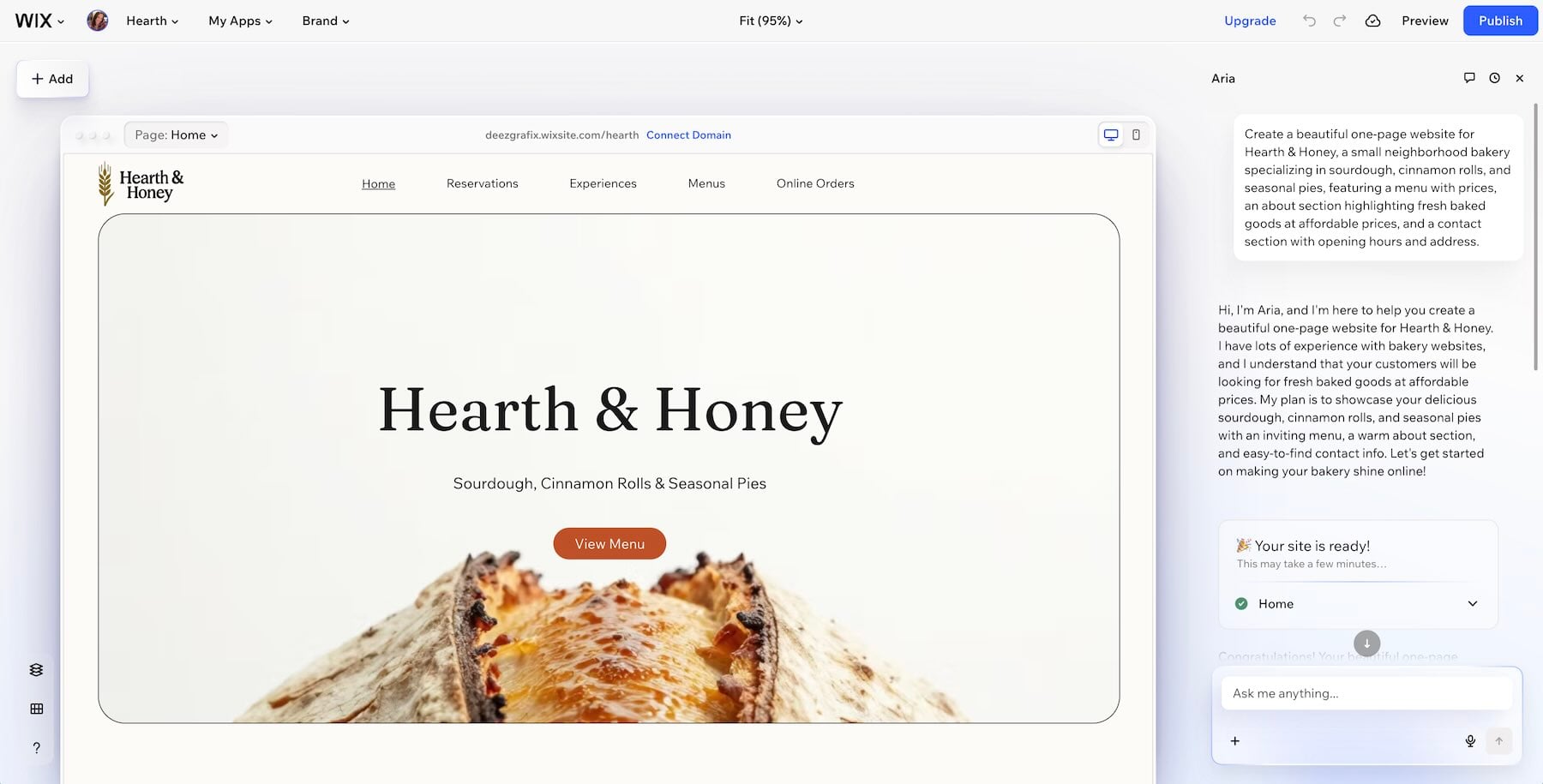
Wix Harmony: Wix combines its visual editor with Aria, an AI assistant that can generate pages, layouts, colors, copy, and images from a description of your business.
You can continue asking Aria to make changes or edit the website manually. That flexibility makes Wix attractive to business owners who want to manage everything in one place.
However, Wix websites depend on the company’s infrastructure. You cannot export the complete site for independent hosting, and an AI-generated Harmony site cannot simply be switched to a different template later. You can transfer a Premium plan to another Wix site, but that’s different from moving the existing design to another platform.
Hostinger, Durable, and Framer: These platforms offer different ways to simplify website creation.
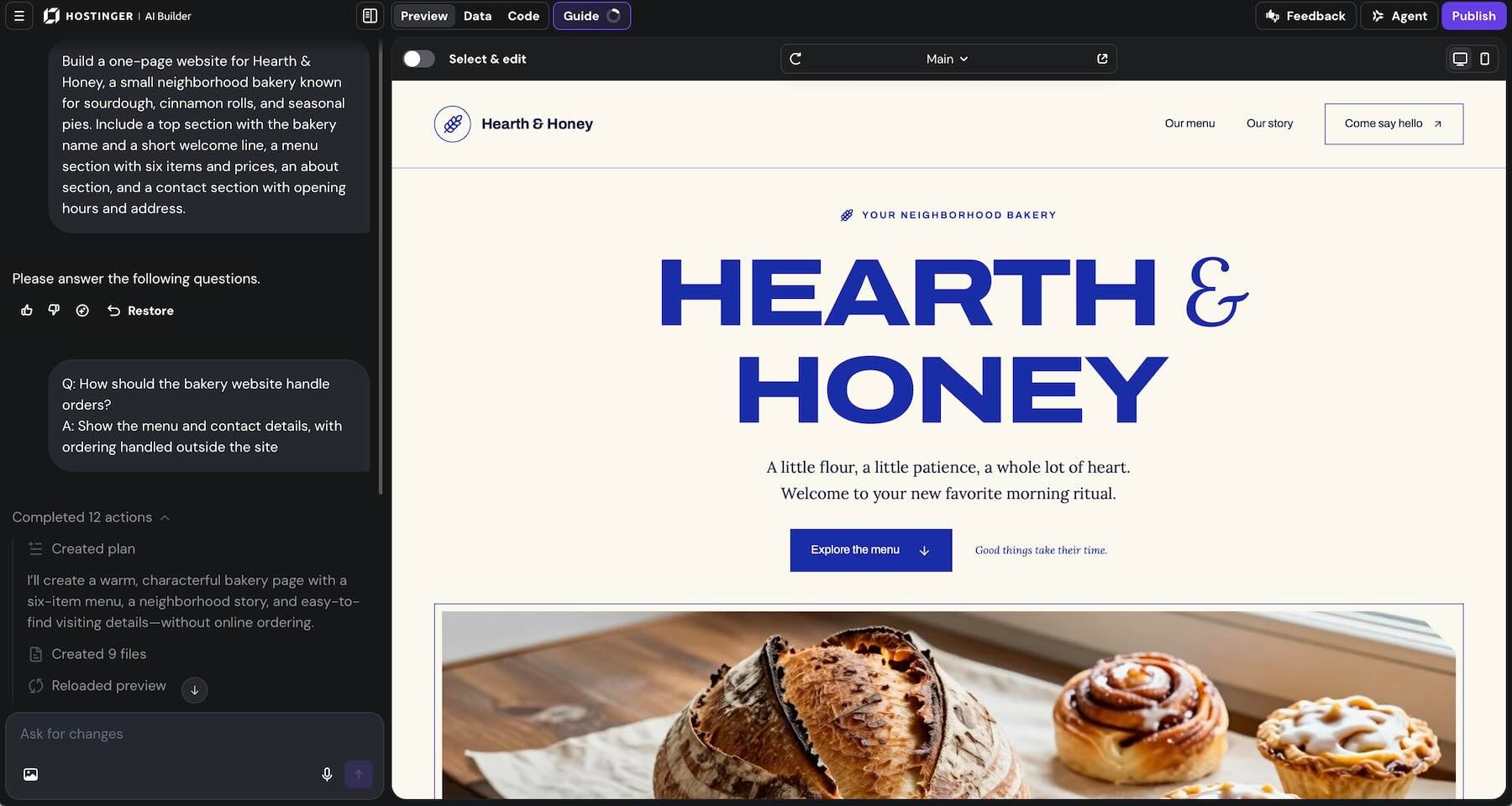
Hostinger combines its AI website-building tools with hosting and a visual editor, making it convenient for businesses that want a bundled solution. However, the website remains dependent on the hosting service and its supported migration options.
Durable focuses on quickly generating business websites, with built-in hosting and editing tools. It’s particularly appealing when you want a relatively straightforward online presence without spending much time on setup.
Framer gives designers more advanced visual control, along with publishing, CMS, and animation capabilities. It’s a capable design environment, but Framer doesn’t offer a complete HTML export for independently hosting the finished website.
None of this makes hosted builders a bad choice. If you’re happy with the platform and its tools meet your needs, there may be little reason to leave.
But if portability and control over your hosting environment are priorities, it’s worth considering that before building your entire website around one service.
App Builders Give You More Control Over The Code
AI app builders approach ownership from another direction. Instead of keeping everything inside a proprietary page editor, they can give you access to the actual code behind your project.
That flexibility is valuable, particularly when you’re building something more complicated than a typical business website.
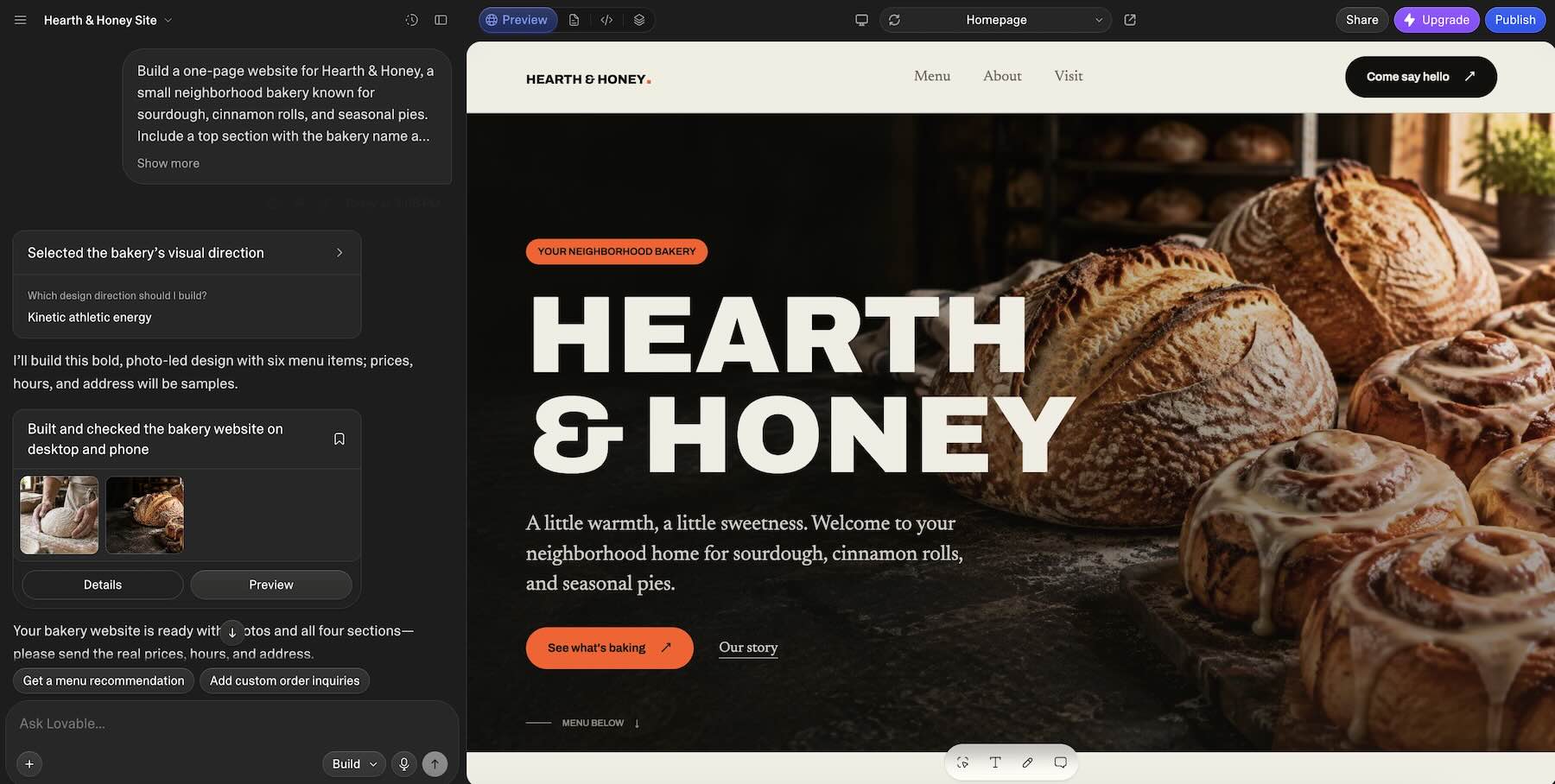
Lovable: Lovable generates working applications using modern web technologies and supports GitHub integration, allowing you to work with your project’s source code outside the platform.
It’s a good fit for applications that need custom interfaces, authentication, database functionality, or other features beyond a traditional marketing website.
However, owning the source code doesn’t automatically make the entire application portable. If your project relies on hosted database services, storage, authentication, or environment variables, those dependencies need attention when moving to another environment.
Bolt and v0: Both platforms combine AI-generated code with tools for previewing, editing, and publishing applications.
Bolt supports GitHub workflows and deployment options, while v0 integrates closely with GitHub and Vercel. With v0, you can work in a dedicated branch, track changes through commits, and create pull requests before merging updates.
You don’t necessarily need to edit every file manually, either. These tools support conversational changes, and v0 includes visual editing controls for adjusting the interface.
The difference is what you’re ultimately maintaining. Even when AI handles much of the coding, the project still depends on its framework, packages, integrations, and deployment configuration.
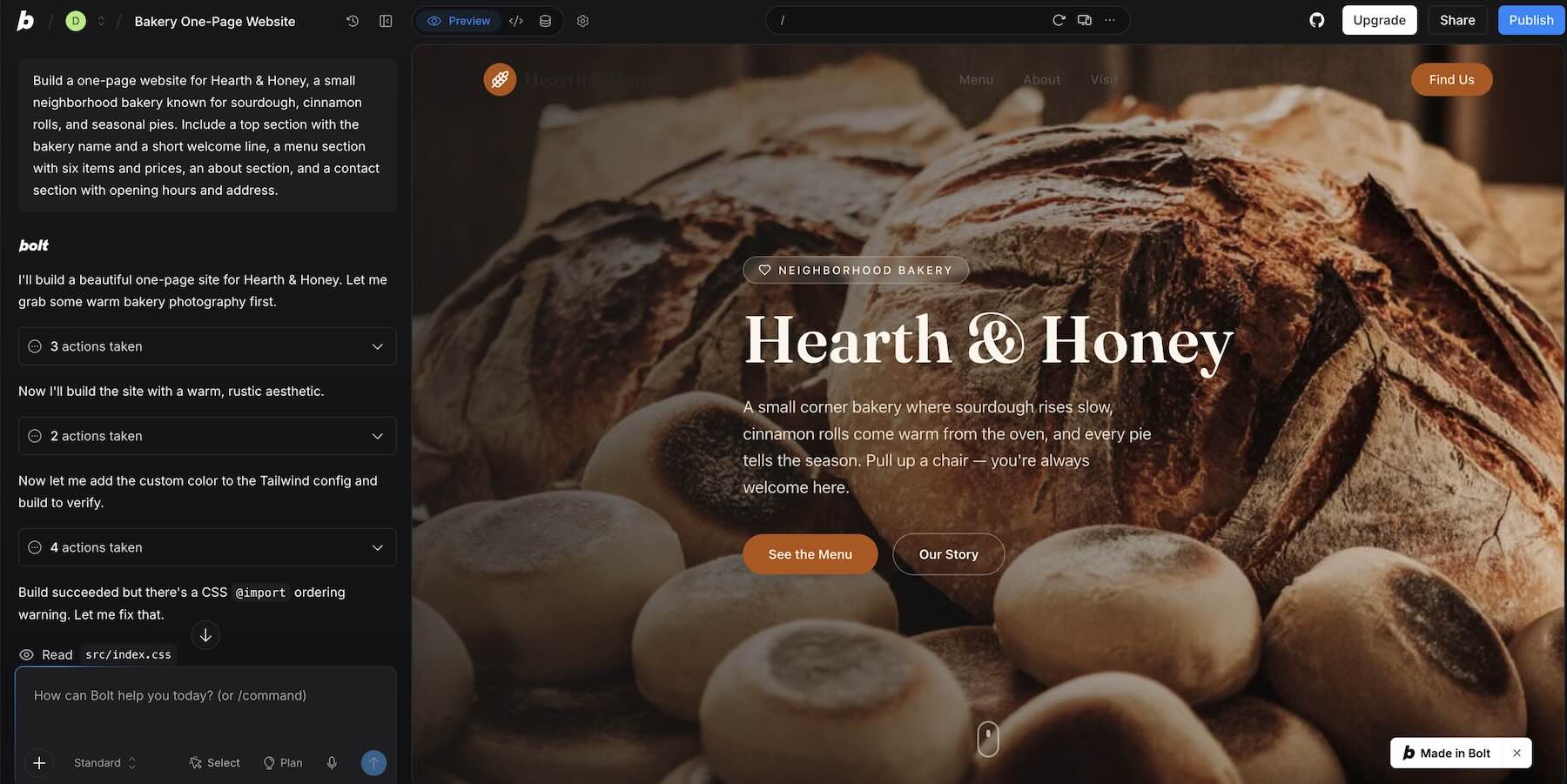
For a SaaS product or an application with complex functionality, that’s often a worthwhile trade-off.
But imagine handing a five-page bakery website to its owner. Would they rather open a visual editor to change tomorrow’s specials, or maintain a software project with its own development workflow?
Both can work. The question is whether the additional flexibility serves the project.
A Visual Builder Keeps The Website Editable
This is where building with AI inside a visual editor becomes especially attractive.
Instead of treating the generated website as a finished product that requires another AI prompt or code change to modify, you get a collection of editable elements.
Want to change a button label? Open its settings. Need to rearrange a section? Move the elements around. Want to update the brand colors across multiple pages? Use shared design settings where you’ve established them.
You can work with AI when it’s helpful and make manual adjustments whenever you prefer.
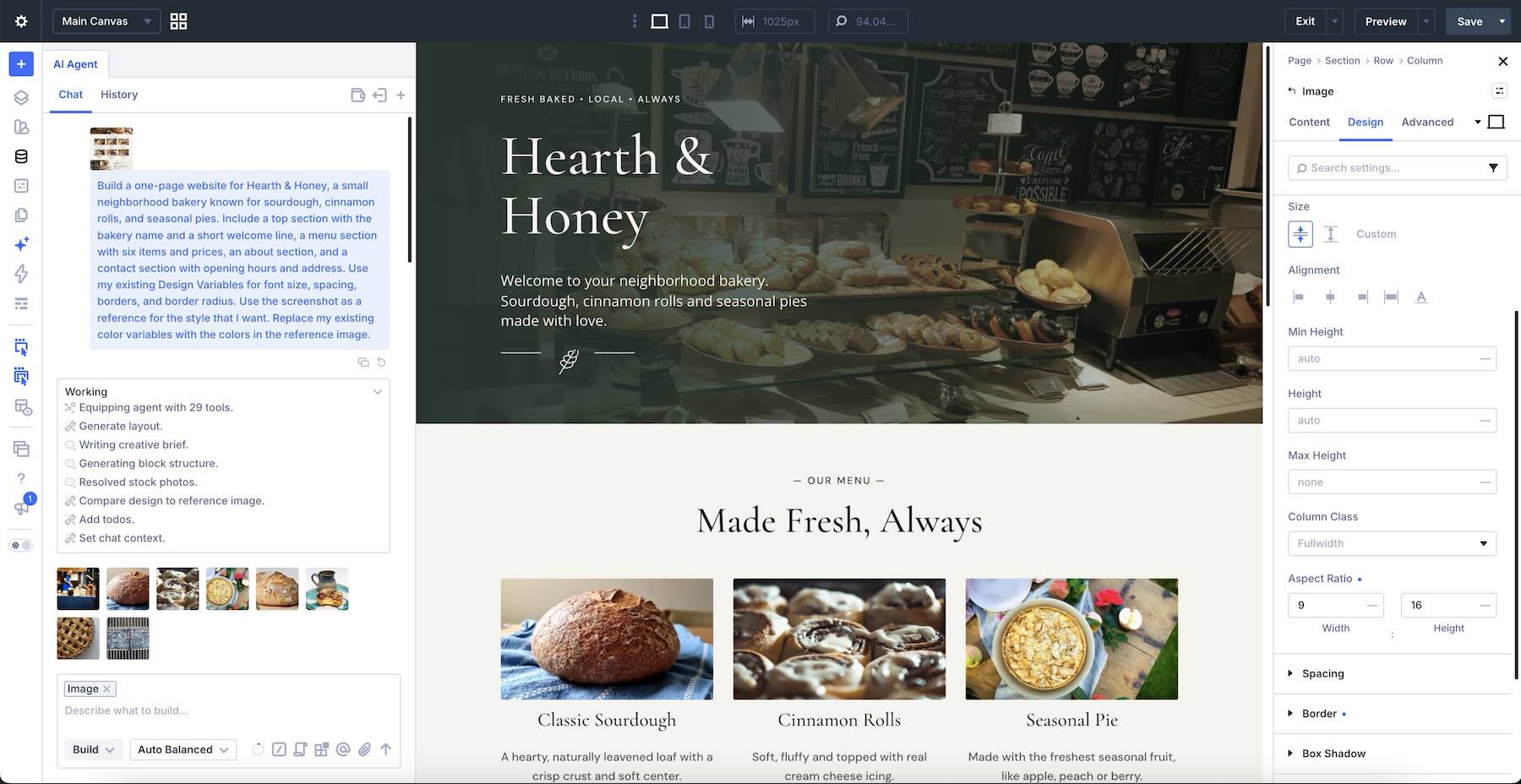
Divi AI agents: The Divi AI Agent is integrated into the Divi 5 Visual Builder and can inspect the structure of an existing page before making changes.
It goes beyond generating content for individual fields. You can ask it to create layouts, restructure sections, edit multiple modules, work with Design Variables and Presets, and perform supported WordPress tasks.
It also offers two interaction modes: Ask, for inspecting a page, answering questions, and offering guidance, and Build, for carrying out changes within the builder.
Because the resulting layouts use native Divi elements, you’re free to continue editing the website manually.
The Agent requires an active Divi AI subscription, which includes a $5 monthly AI Wallet balance for Agent usage. Additional usage can be purchased, and costs vary depending on the AI model and the complexity of the request.
Elementor’s Angie: Angie brings agentic AI capabilities into WordPress and the Elementor editing environment.
It can create structured pages, custom widgets, reusable design resources, and other WordPress functionality using natural-language instructions. It can also help with administrative tasks and work with the site’s existing configuration.
Like Divi, Elementor lets you continue editing supported generated content through its visual interface.
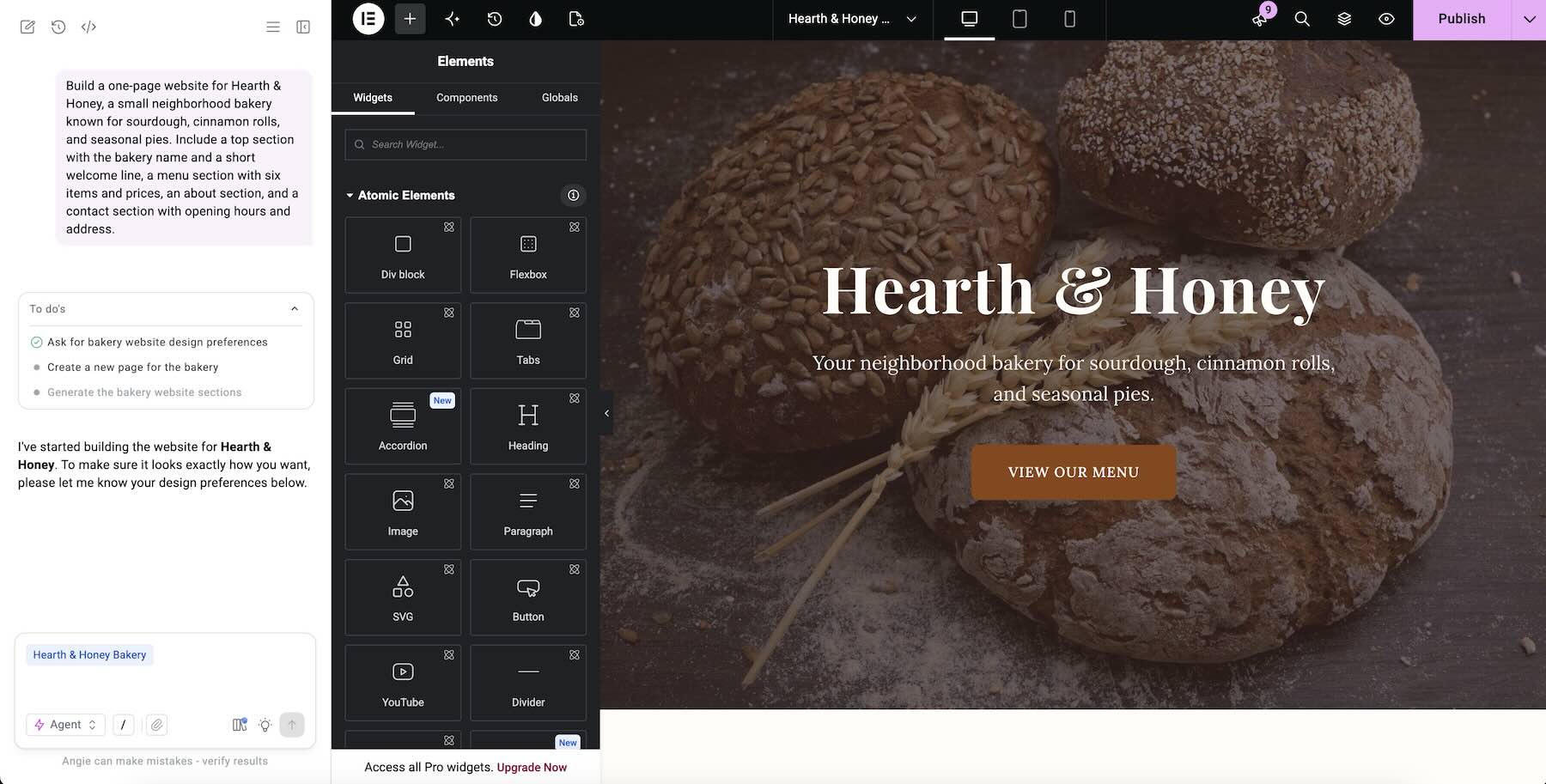
Of course, a visual builder isn’t completely independent of its software. You still rely on WordPress, the builder you’ve chosen, and compatible themes or plugins.
The advantage is having control over your WordPress installation, hosting, and content, with a familiar visual interface for everyday changes.
Choose The Tool Based On What Happens After Launch
Wix Harmony, Lovable, and Divi AI agents can all help you create an attractive homepage. But judging them exclusively by their first result misses an important part of building a website.
Think about what happens six months later. Who will update the content? Will you need additional pages? What happens when your branding changes?
Those questions can make the decision much easier.
- A Website That Will Stay Put: If you need a small website with a handful of pages and you’re comfortable staying with one provider, a hosted builder may be all you need. Wix Harmony, for example, brings hosting, design tools, and business features together in one environment.
- An Application, Not Just A Website: If you’re building something with user accounts, interactive dashboards, database records, or complex functionality, consider Lovable, Bolt, or v0. Their development workflows offer flexibility that goes beyond what most traditional website builders are designed to handle.
- A Website That Will Keep Growing: If your business will regularly update content, add pages, refine its design, and hand editing responsibilities to different people, a WordPress visual builder is a strong option. Shared design resources and native visual editing make ongoing maintenance more approachable.
The choice isn’t necessarily between AI and manual website building. It’s about finding a tool that lets you use both without making everyday changes unnecessarily complicated.
Let’s Build A Bakery Website With Divi AI Agents
To see what that looks like in practice, imagine building a website for a neighborhood bakery called Hearth & Honey.
The bakery needs a welcoming homepage, a menu, some information about the business, and a way for customers to get in touch.
It also needs room to grow. Perhaps the owner wants to add a wholesale page later, change the seasonal colors, or update the menu without asking a developer.
Here’s how you can approach that workflow using Divi 5.
1. Establishing Brand Guidelines
Before building the page, you can give the Agent some guidelines about how the website should look and sound.
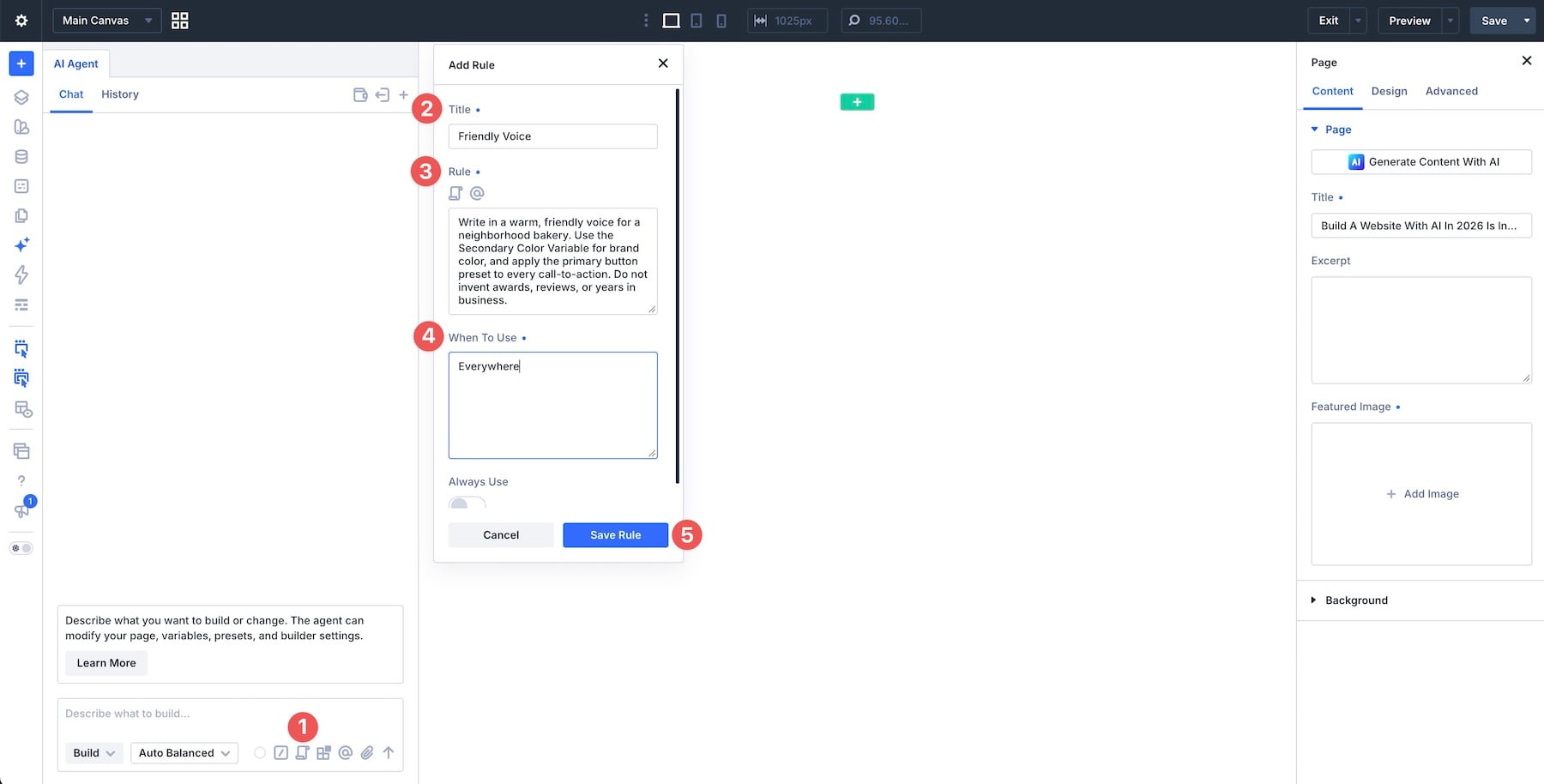
With Divi AI agents, you can save Rules that provide persistent instructions for future conversations.
For our bakery, a Rule could look like this:
Rule: Write in a warm, friendly voice for a neighborhood bakery. Use the Secondary Color Variable for brand color, and apply the Primary Button preset to every Button module or CTA module. Do not invent awards, reviews, or years in business.
This establishes some basic expectations without having to repeat them in every prompt.
The instructions reference existing Design Variables and Presets, so those resources should already be configured before relying on them. Rules help guide the Agent, but it’s still important to inspect the results.
2. Generating The First Page
Now we can get to the actual website. Open a blank page in the Divi 5 Visual Builder, launch the Agent, and select Build mode.
Rather than generating a generic homepage, we’ll give the Agent some context about the bakery, its content, and the design direction we’re looking for.
The prompt also uses a screenshot as a visual reference, allowing the Agent to work toward a particular style rather than making every design decision from scratch.
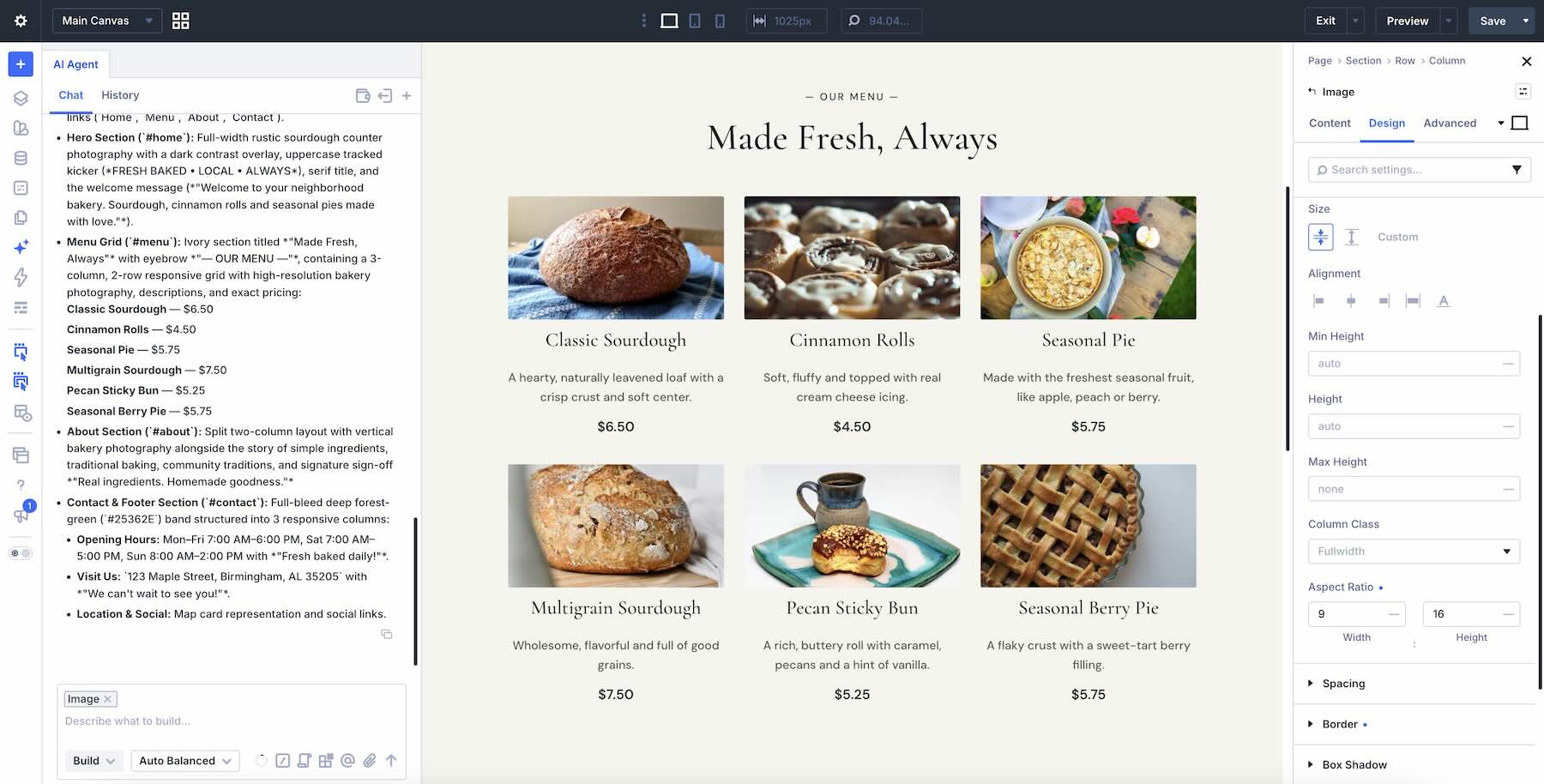
The important part is what happens after generation.
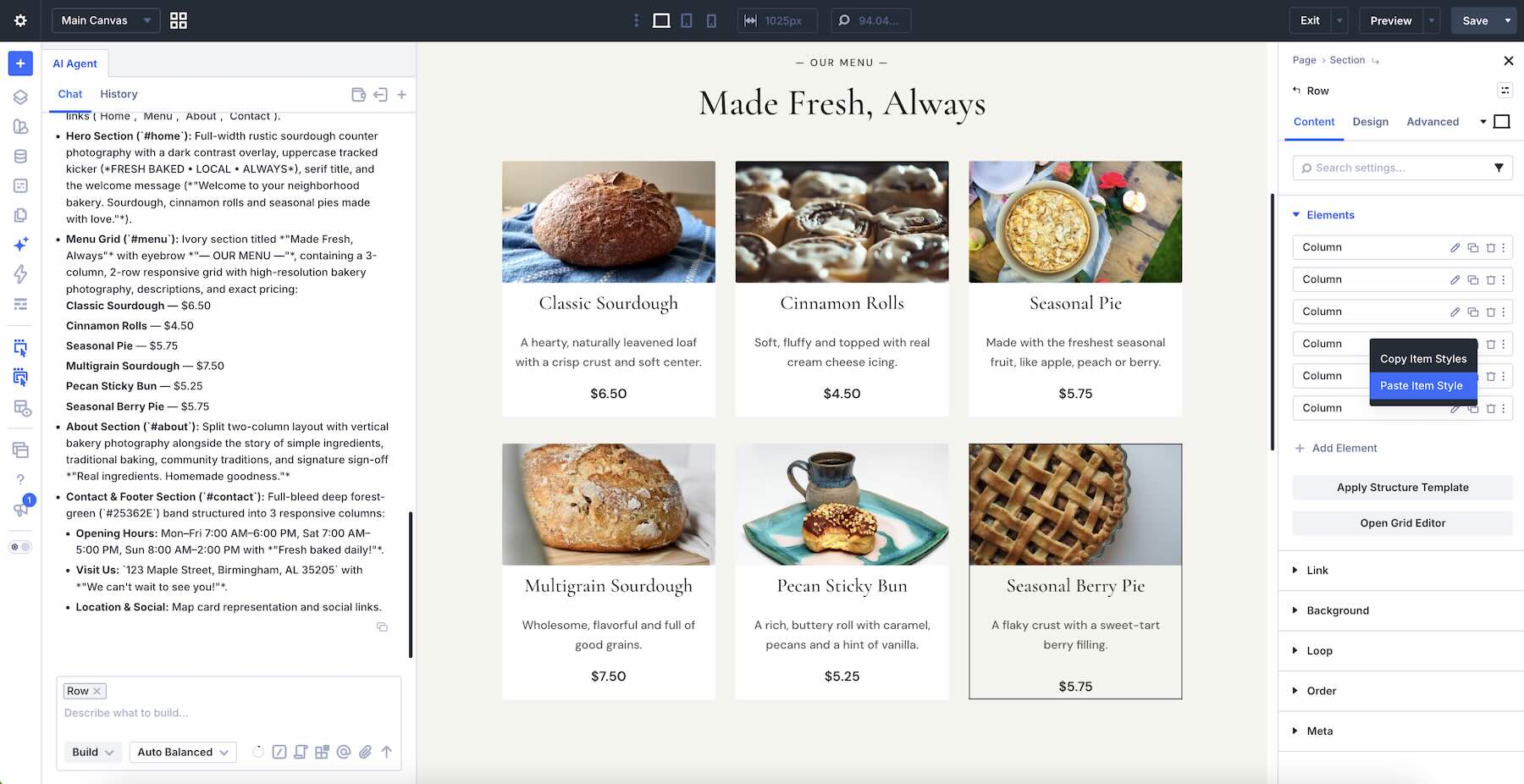
The page is built using regular Divi sections, rows, columns, and modules. If you want to change a heading, adjust a price, or reposition an image, you can open the relevant module settings and edit it yourself.
You don’t need another AI prompt for every small adjustment.
3. Restructuring The Layout And Updating The Design
Let’s say the first version looks good, but the bakery owner wants to change the layout of the hero section.
Instead of rebuilding the page, we can ask the Agent to work specifically on that section. Add the hero section as Context and use the following prompt:
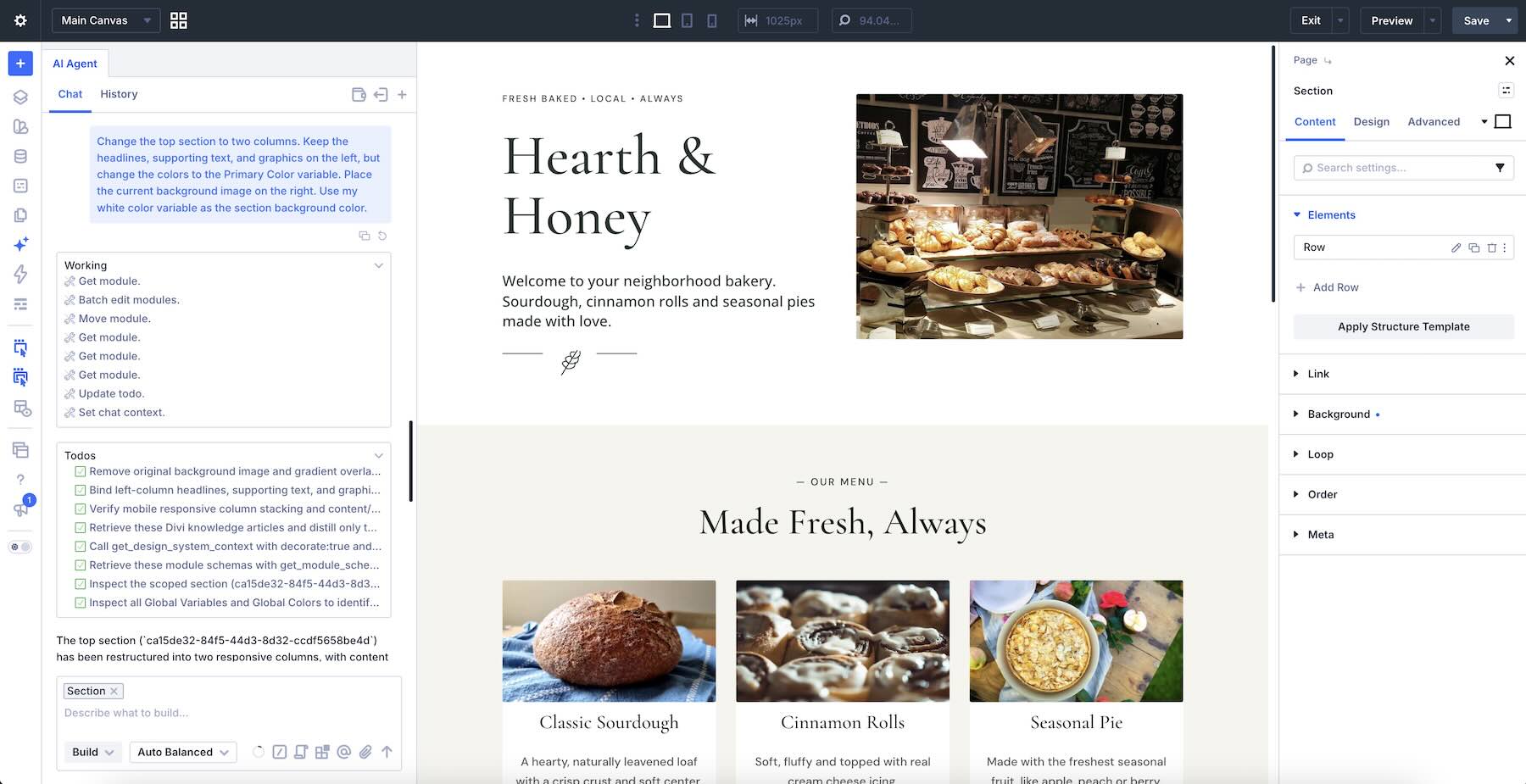
Because we’re working with actual Divi elements, we can inspect the new structure and make any necessary adjustments manually.
Maybe the image needs more space, or the alignment doesn’t look quite right on smaller screens. Those changes are still available through the builder’s normal layout and responsive controls.
Updating Global Styles
Now imagine the bakery decides to change its primary brand color. If the website consistently uses a shared Design Variable, there’s no need to update every individual module.
We can ask the Agent to change that variable instead:
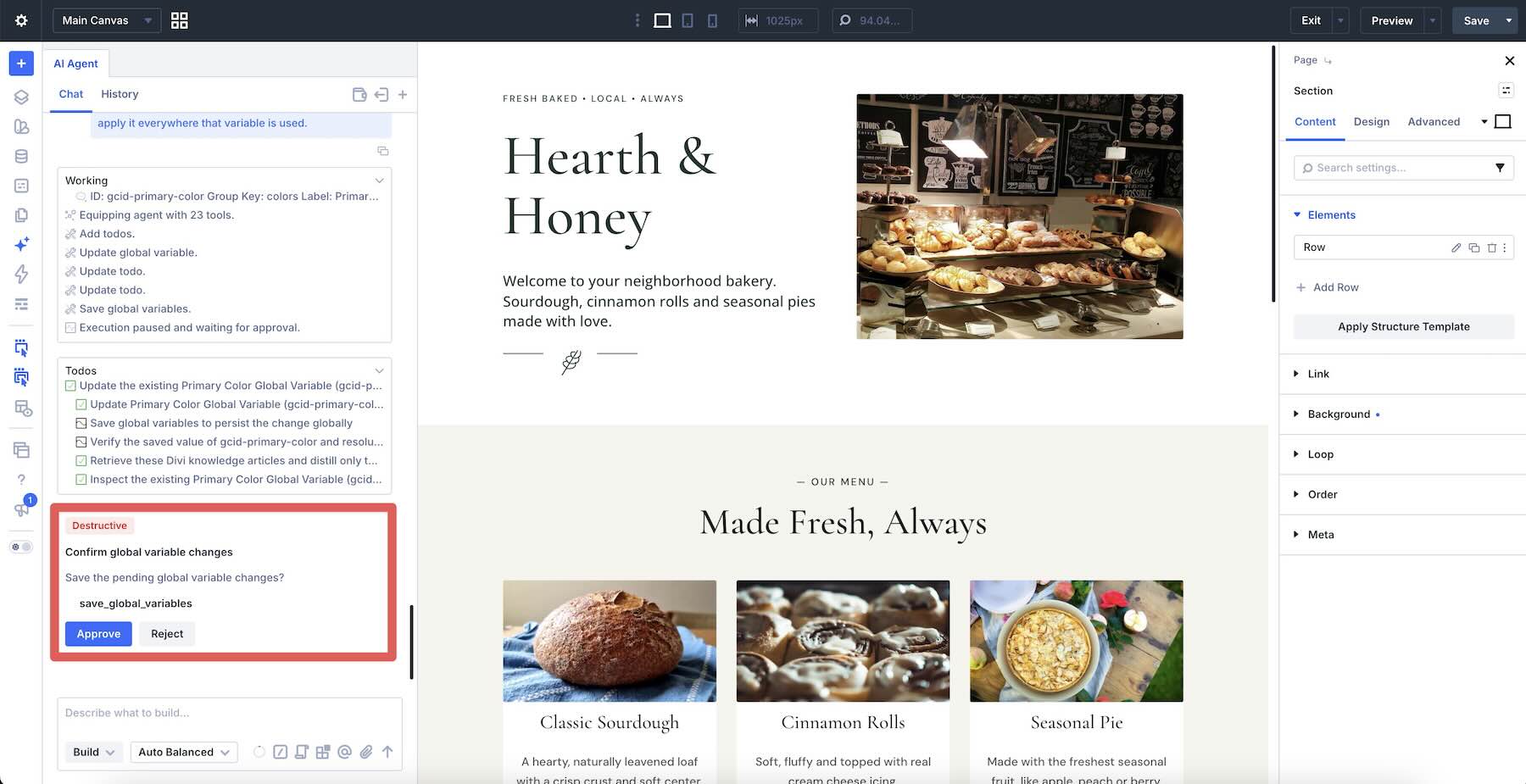
Because this changes a shared resource, the Agent can present a destructive-action warning requiring approval before proceeding.
Once the variable is updated, elements referencing it use the new color. Any elements with separate hardcoded colors or local overrides may still need individual attention.
That’s one of the practical advantages of combining AI with a reusable design system. You can make a coordinated change without rebuilding the layout.
4. Adding A New Page
A few months later, Hearth & Honey starts supplying bread to local restaurants and wants to introduce a wholesale offering. Instead of starting a separate project, we can continue working within the same WordPress website.
Ask the Agent to create a new page:
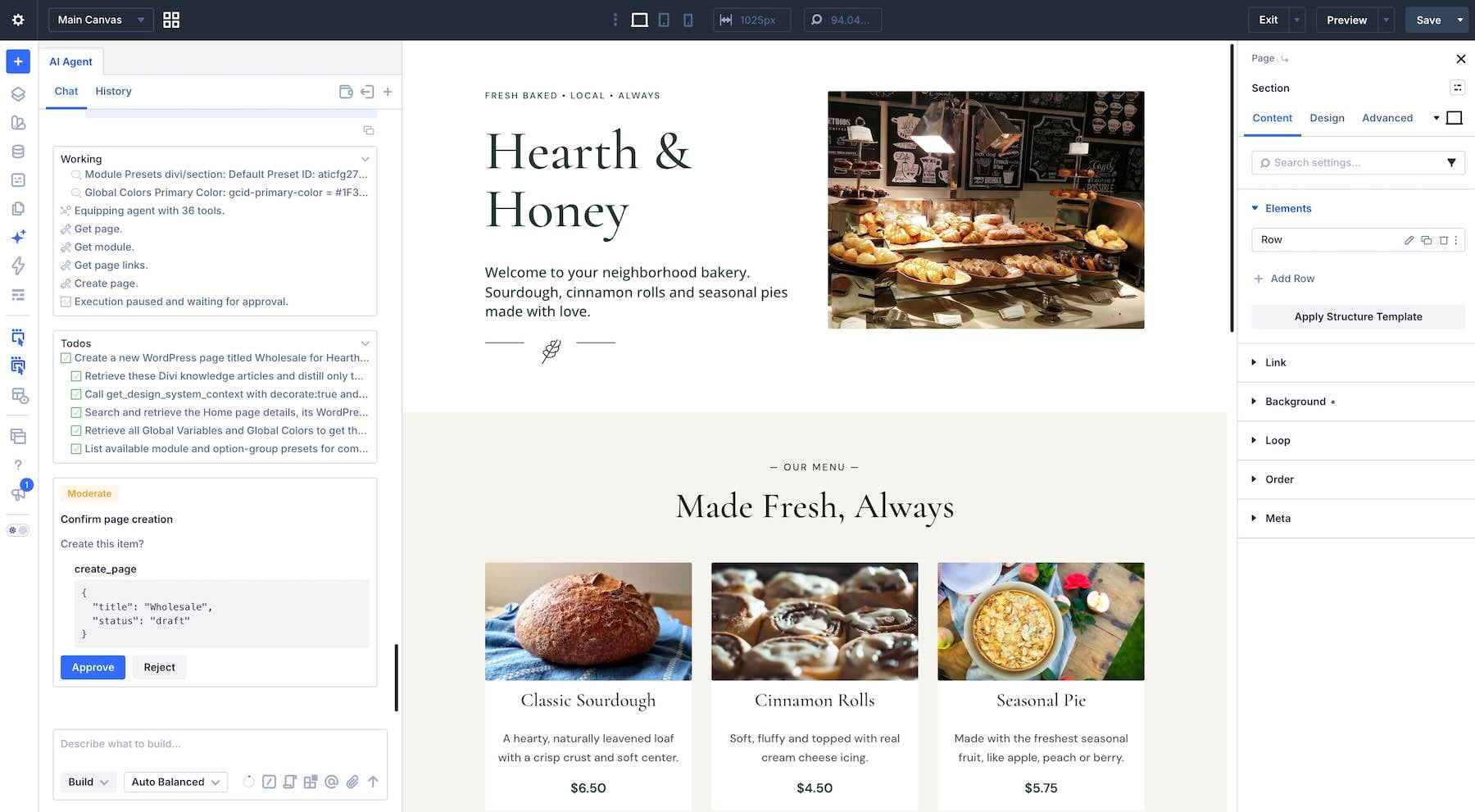
The new page becomes part of the existing WordPress site. From there, you can build its content using the same Design Variables and Presets, and use the appropriate Theme Builder templates to maintain a consistent header and footer.
Those shared resources provide a foundation for keeping the new page aligned with the homepage. You’ll still need to apply the appropriate layouts and settings, but you won’t have to recreate the entire design system.
And that’s really the difference this approach makes.
The AI can help create the first version, restructure existing content, and take care of larger changes. Meanwhile, the website remains editable through the same visual interface your team already uses.
Final Verdict
There isn’t one AI website builder that’s right for every project. If you want a simple website and prefer having everything managed by one provider, hosted platforms like Wix Harmony can make getting started easier.
If you’re building a complex application with custom functionality, tools like Lovable, Bolt, and v0 offer development capabilities that may be a better fit. But for a business website that needs to grow, evolve, and remain approachable for the people managing it, building with AI inside a visual builder offers an appealing balance.
With Divi 5, you can combine AI-assisted creation with native visual editing, reusable design resources, and control over your WordPress hosting environment. The goal isn’t just to generate a website. It’s to have one you can comfortably keep working on long after that first prompt.
The post The Best Way To Build A Website With AI In 2026 Is Inside A Visual Builder appeared first on Elegant Themes Blog.
The Tech Zone


Comments
Post a Comment