7 Blend Mode Effects For Divi 5 (Free Download!)
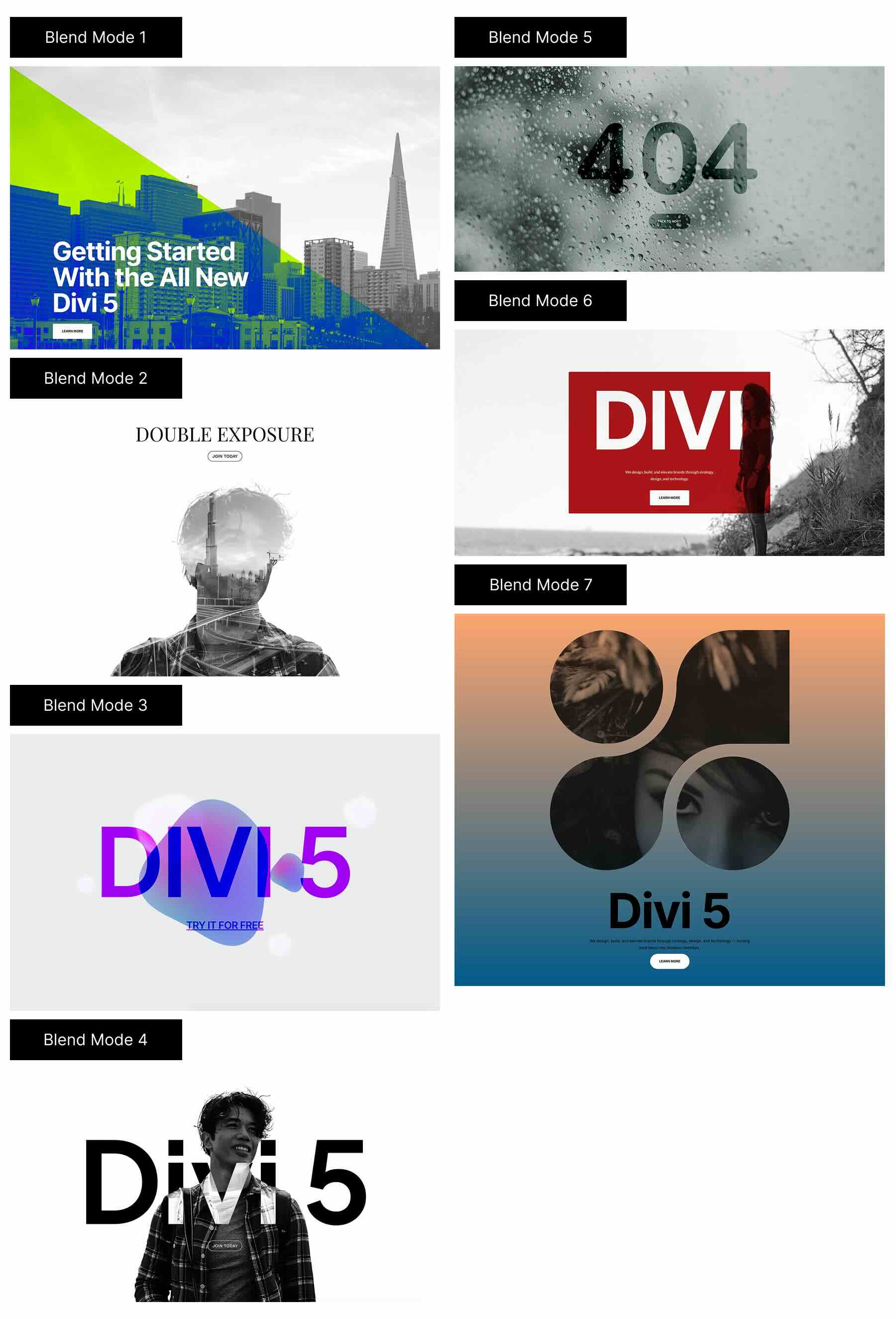
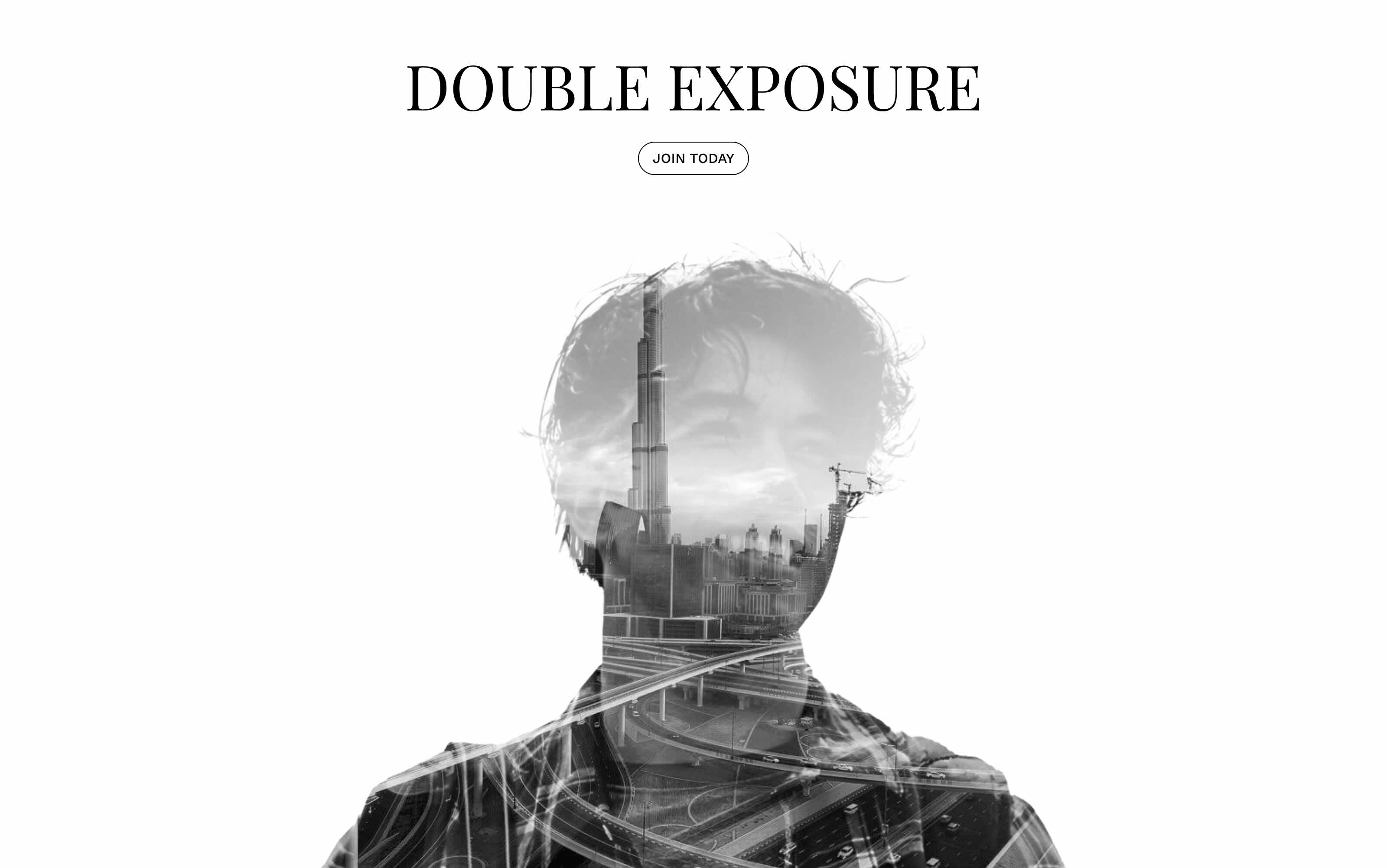
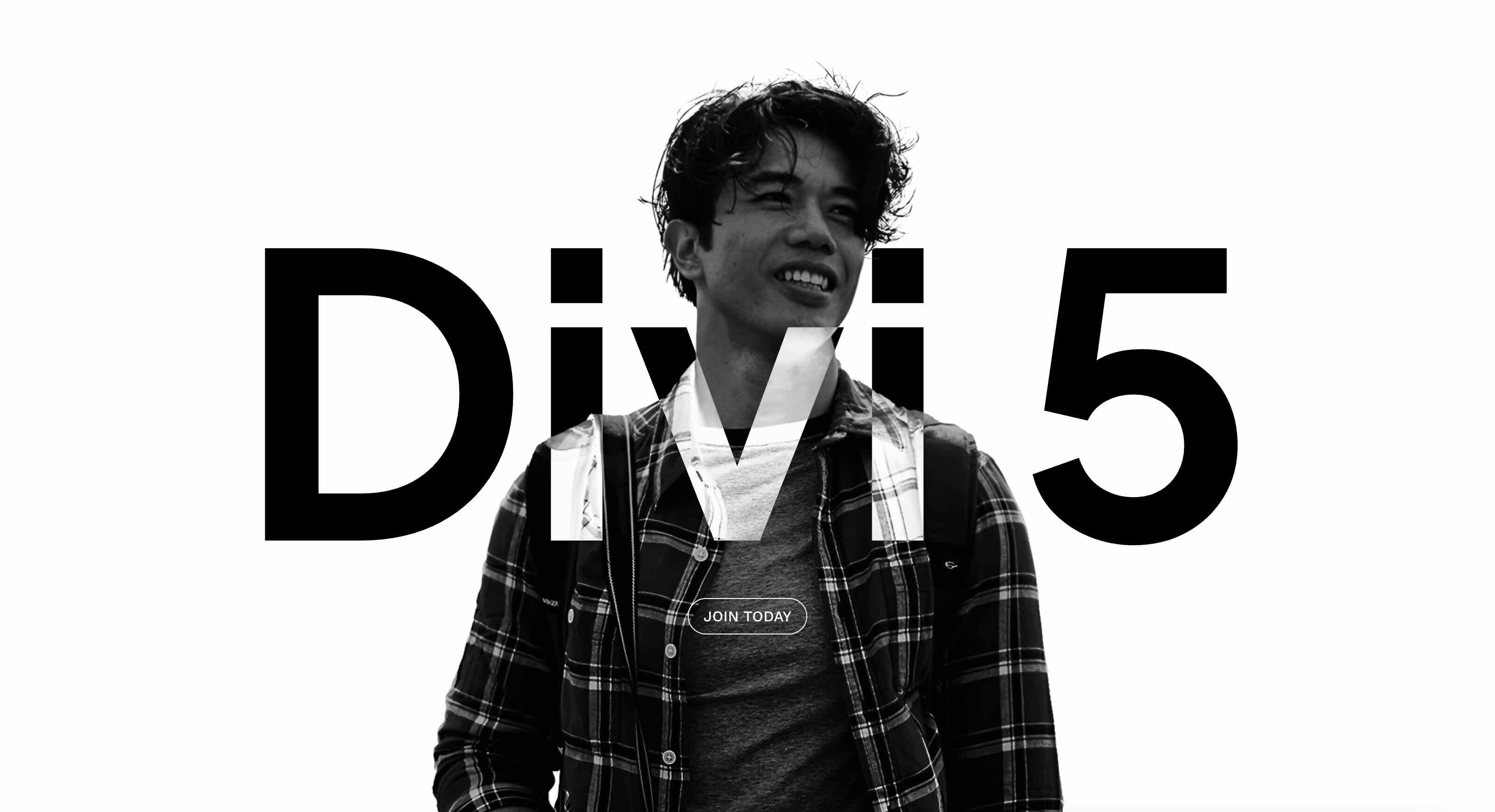
Divi 5 makes it easy to create striking image effects without custom code. In this free pack, you will find 7 Styled Blend Mode Effects, designed to help you build artistic hero sections, layered headers, and modern image compositions using blend modes. Drop one onto any page, swap the images, and you are ready to go. No extra setup required.
Preview
Here is a quick look at all 7 Styled Blend Mode Effects included in the pack. The download is further down the post.
Subscribe To Our Youtube Channel
Download 7 Styled Blend Mode Effects For Divi 5
Get all 7 designs for free. Import them into your Divi Library and add them to any page in the Visual Builder.

What’s Included (8 Exports)
After you download and unzip the file, you will find 7 Styled Blend Mode Effect Section exports, plus 1 file containing all designs.
Styled Blend Mode Effect Section 1 to 7 (7) → Seven styled section layouts featuring layered imagery and blend mode styling you can reuse for headers, hero sections, and visual callouts.
Styled Blend Mode Effect Sections (All) → Imports all designs to your Divi Library at once.

How To Use The Styled Blend Mode Effects
Keep your download folder handy. We will import the sections, then add one to a page.
1. Import The Sections Into The Divi Library
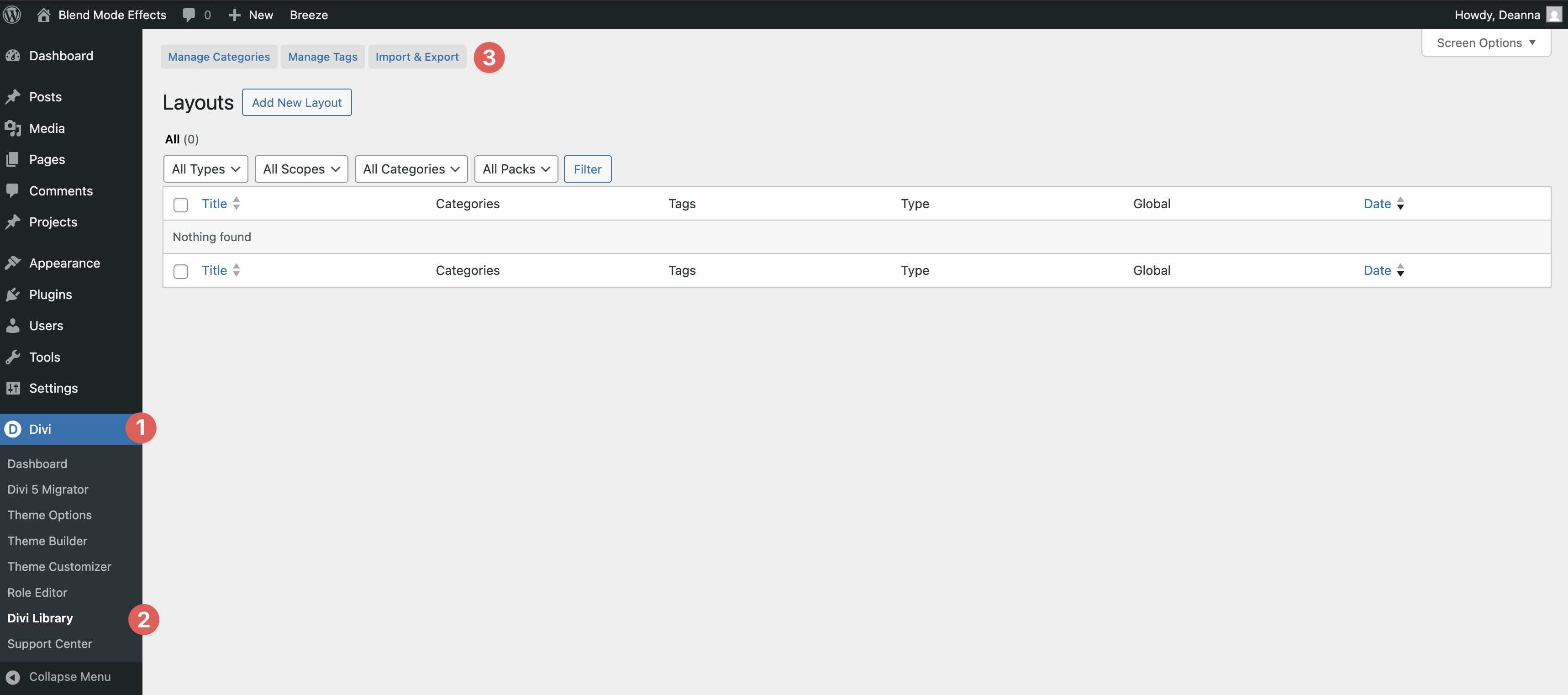
Go to Divi → Divi Library. Click Import & Export at the top of your screen.
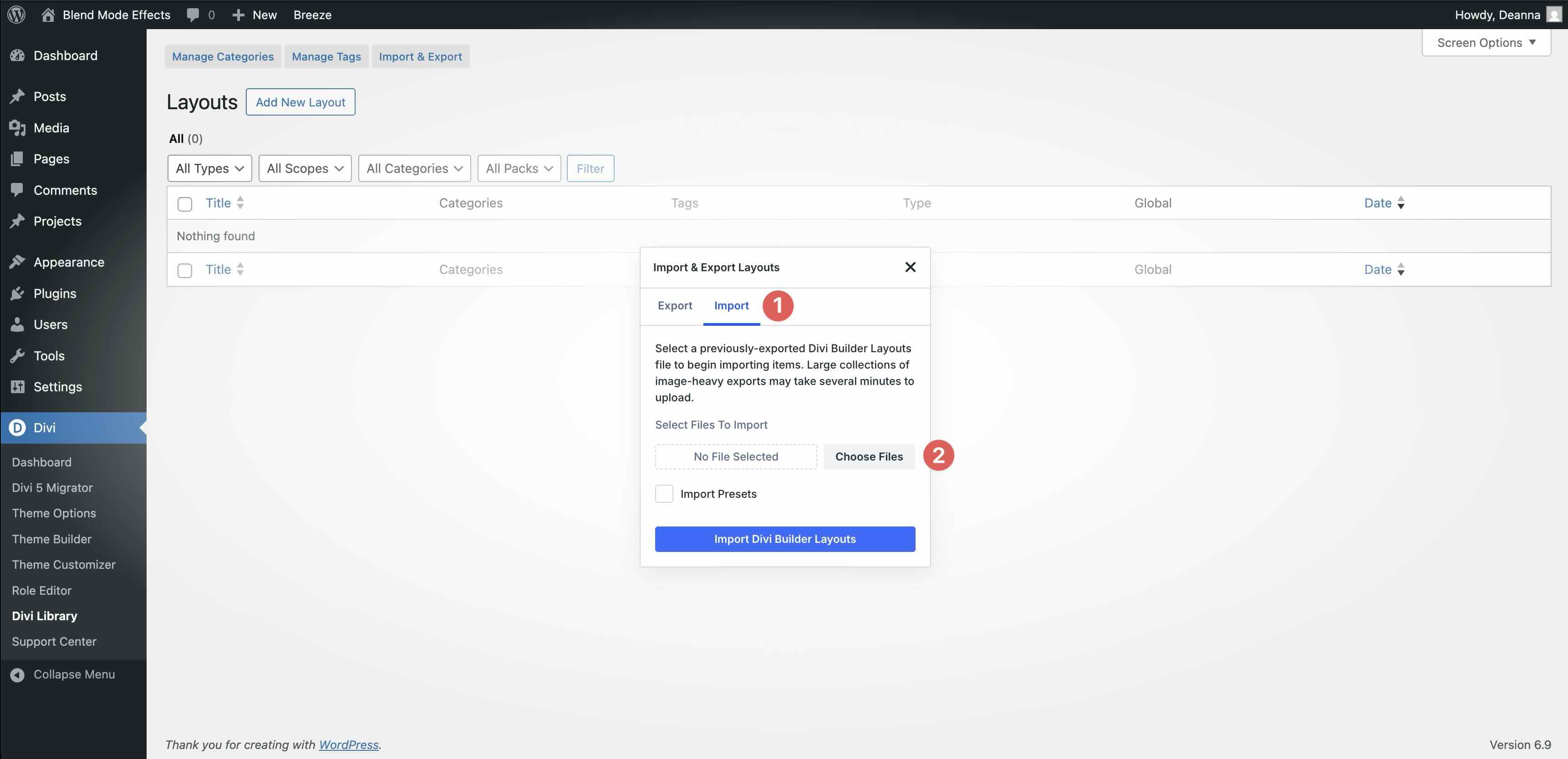
In the Import & Export Layouts modal, switch to the Import tab, then click Choose File and select your JSON.
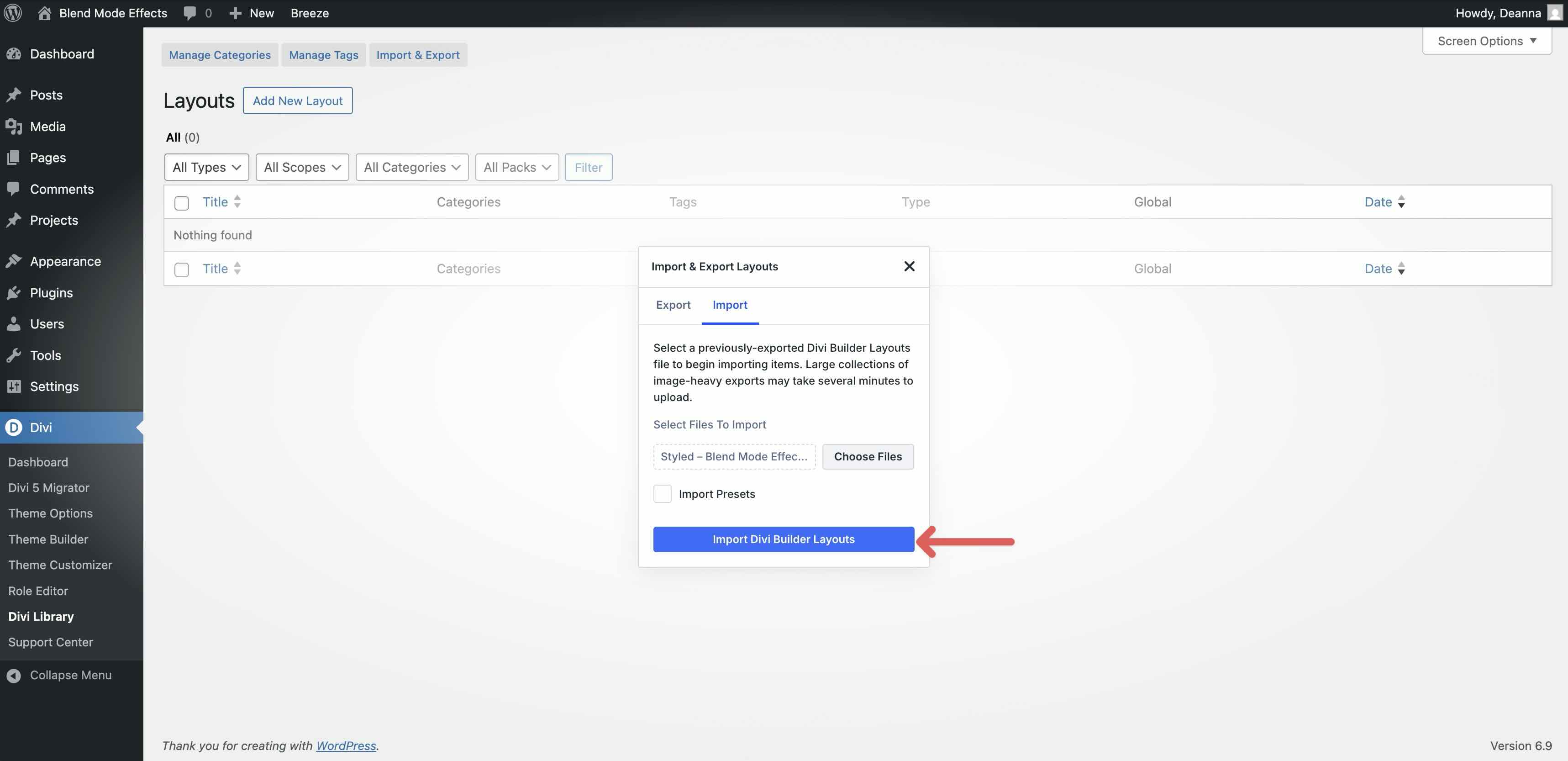
Choose any Styled Blend Mode Effect JSON you want to use, then click Import Divi Builder Layouts.
2. Add A Styled Blend Mode Effect Section To Any Page
Open a page in the Visual Builder and add a new Section.
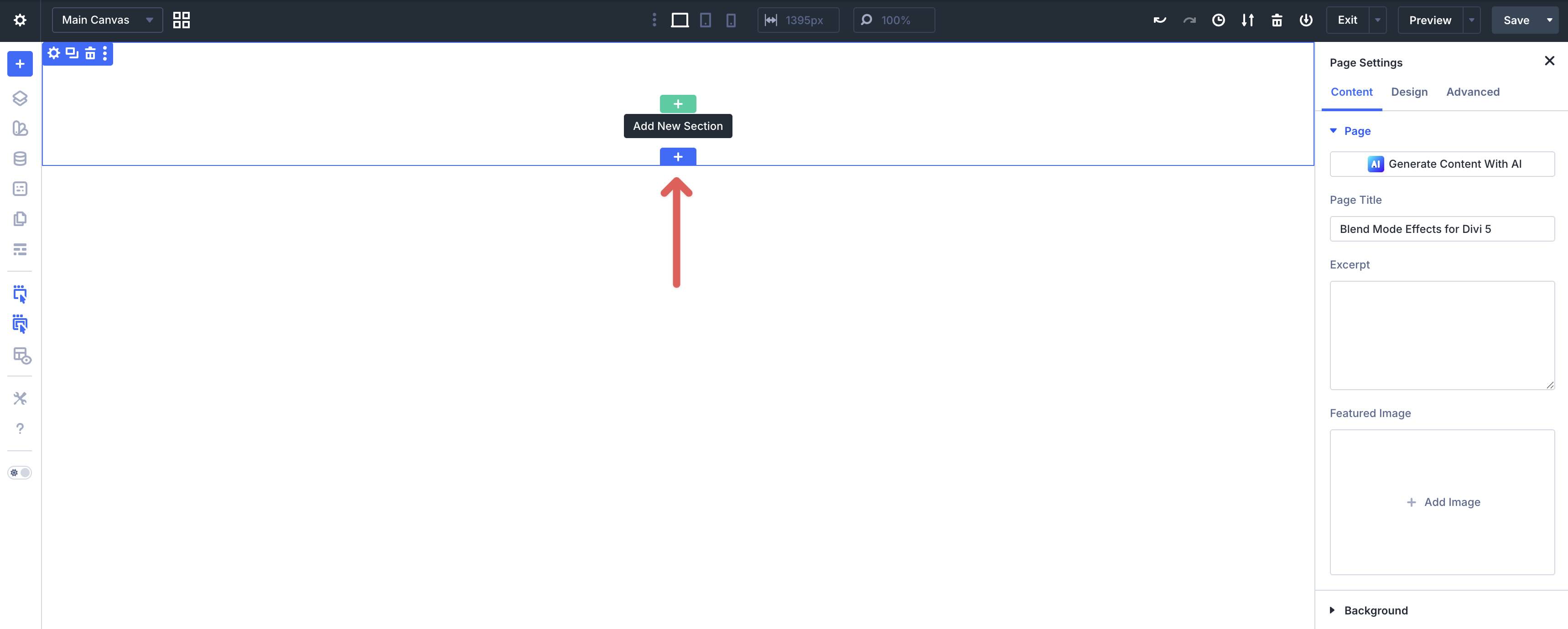
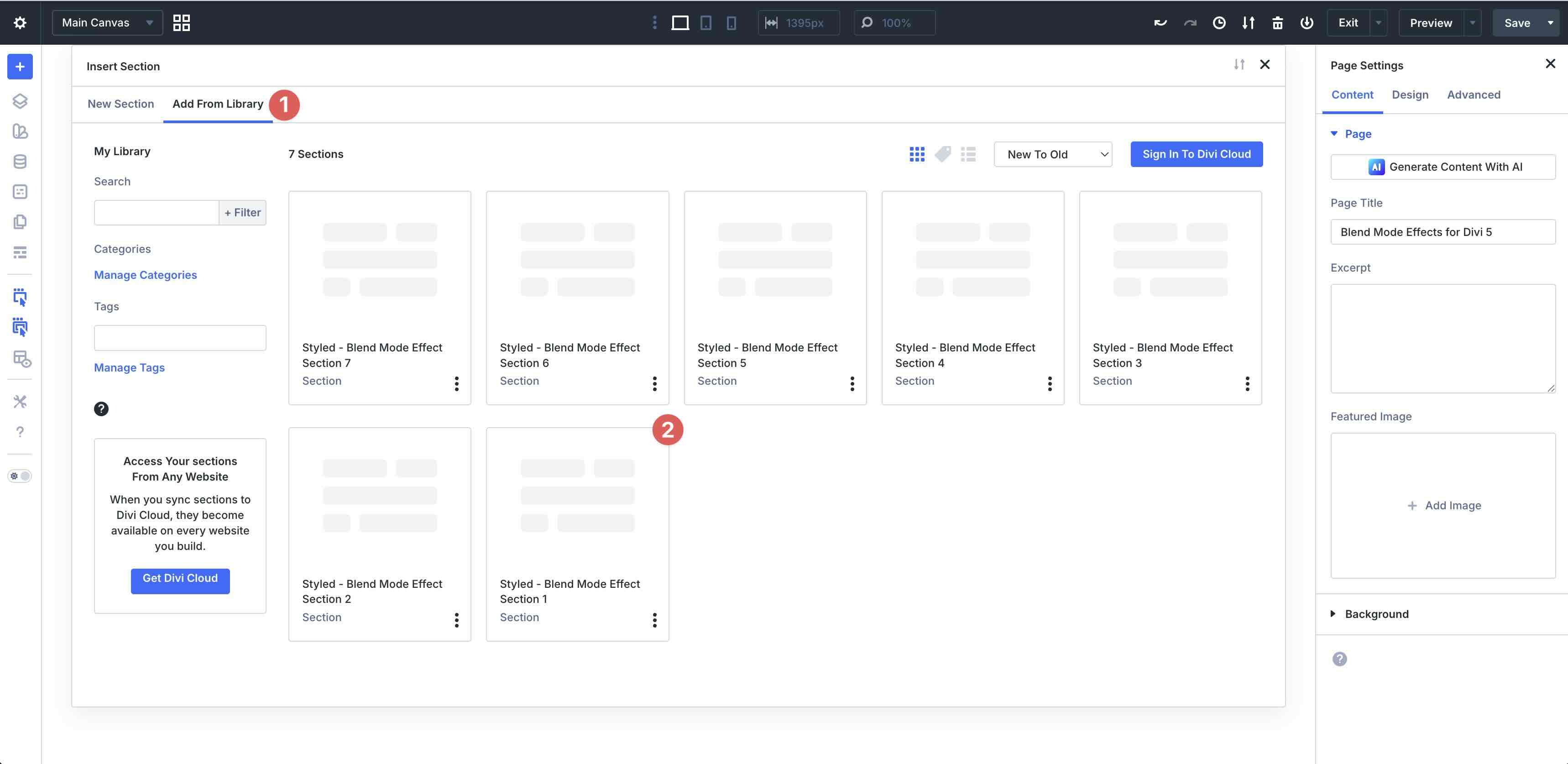
In the Insert Section modal, click Add From Library and select a Styled Blend Mode Effect section.
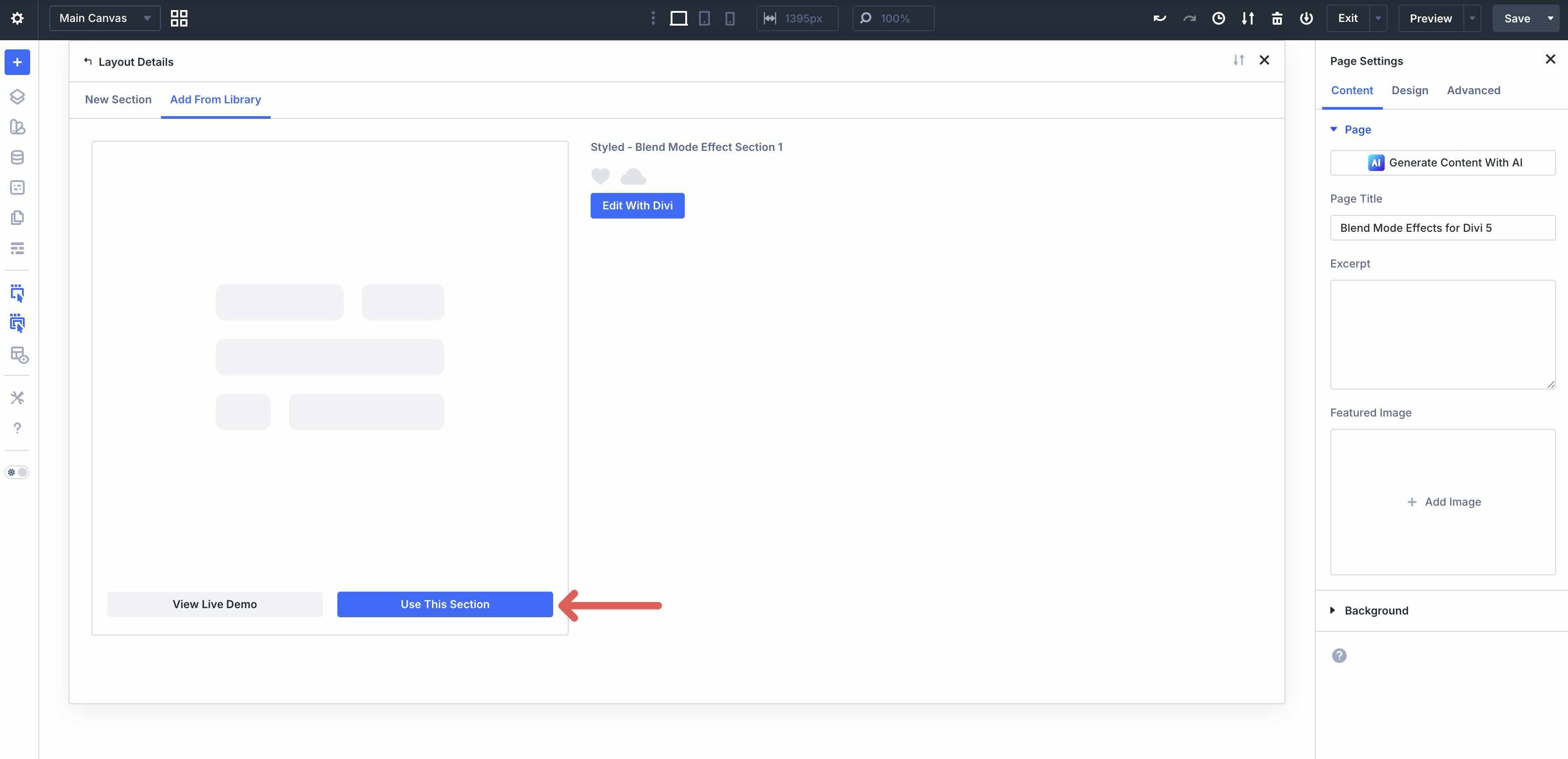
Finally, click Use This Section.
3. Swap The Images
Once the layout is on the page, replace the placeholder images with your own. Click an image or background area inside the design, then update the image source in the relevant settings panel.
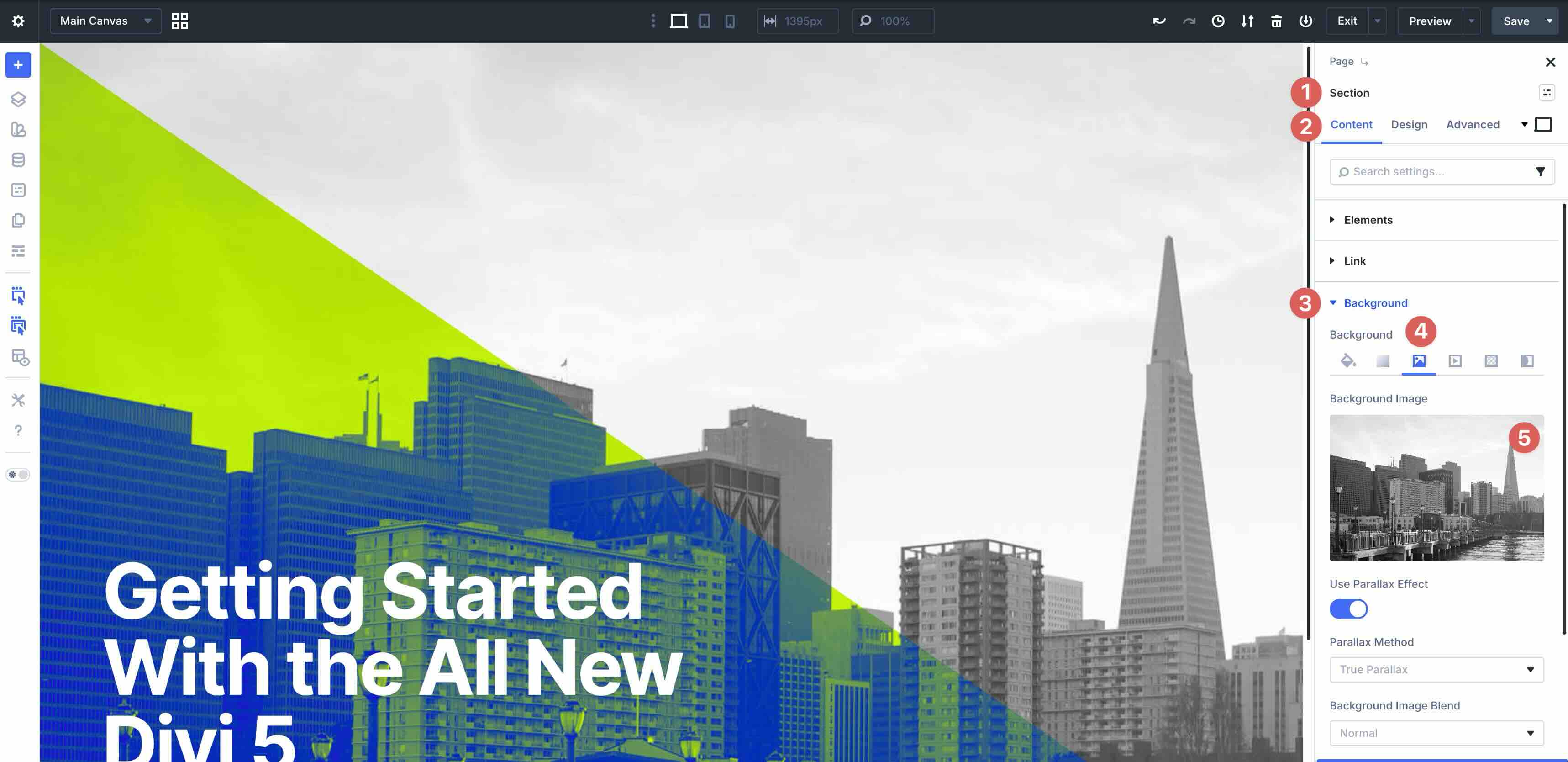
If a section uses multiple layers, swap them one at a time to preserve the intended composition. Replace background images within containers as needed to keep your blend mode effect balanced.
4. Adjust The Effect (Optional)
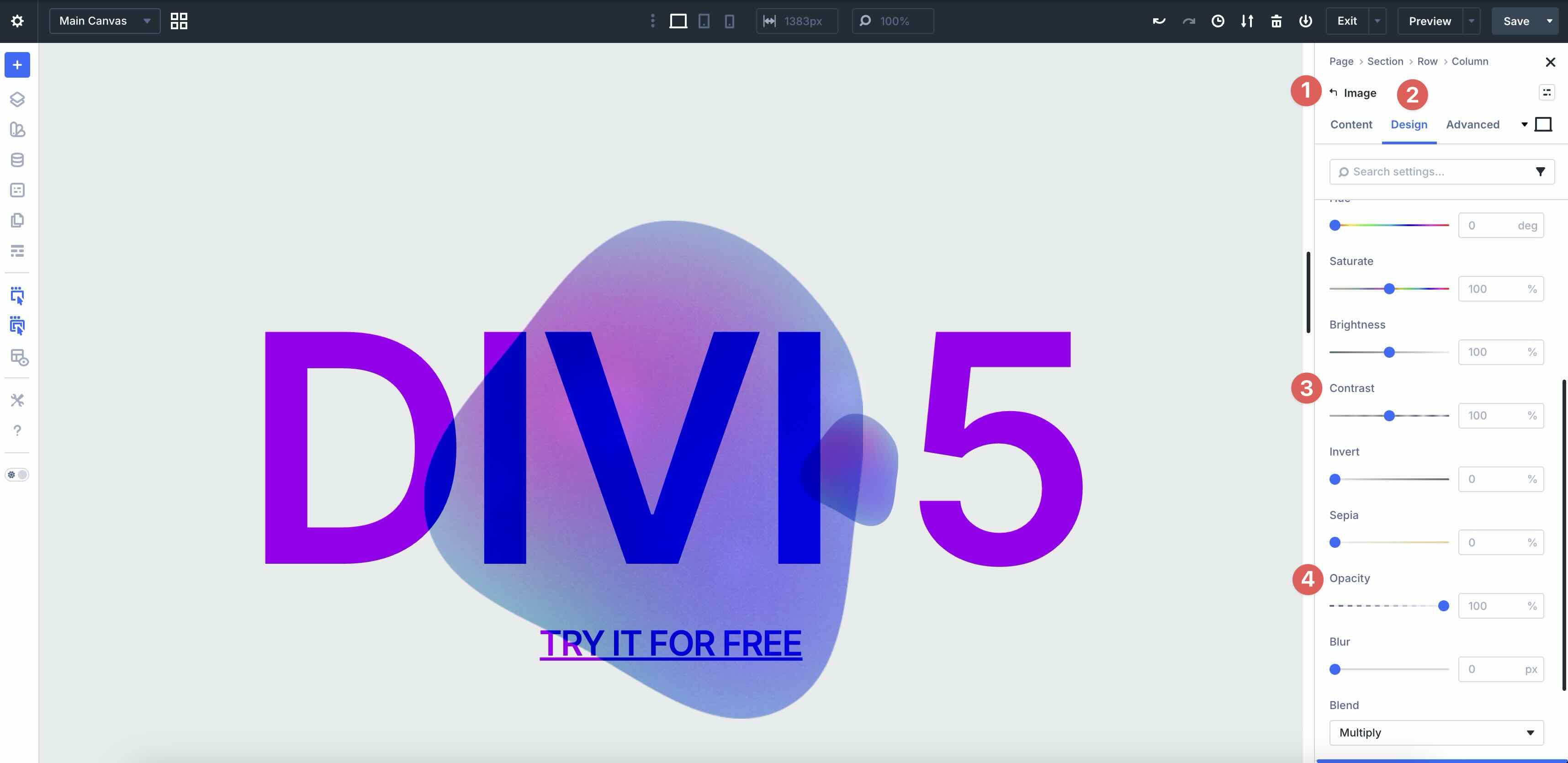
You can easily match these sections to your brand by tweaking blend modes, opacity, overlays, and spacing.
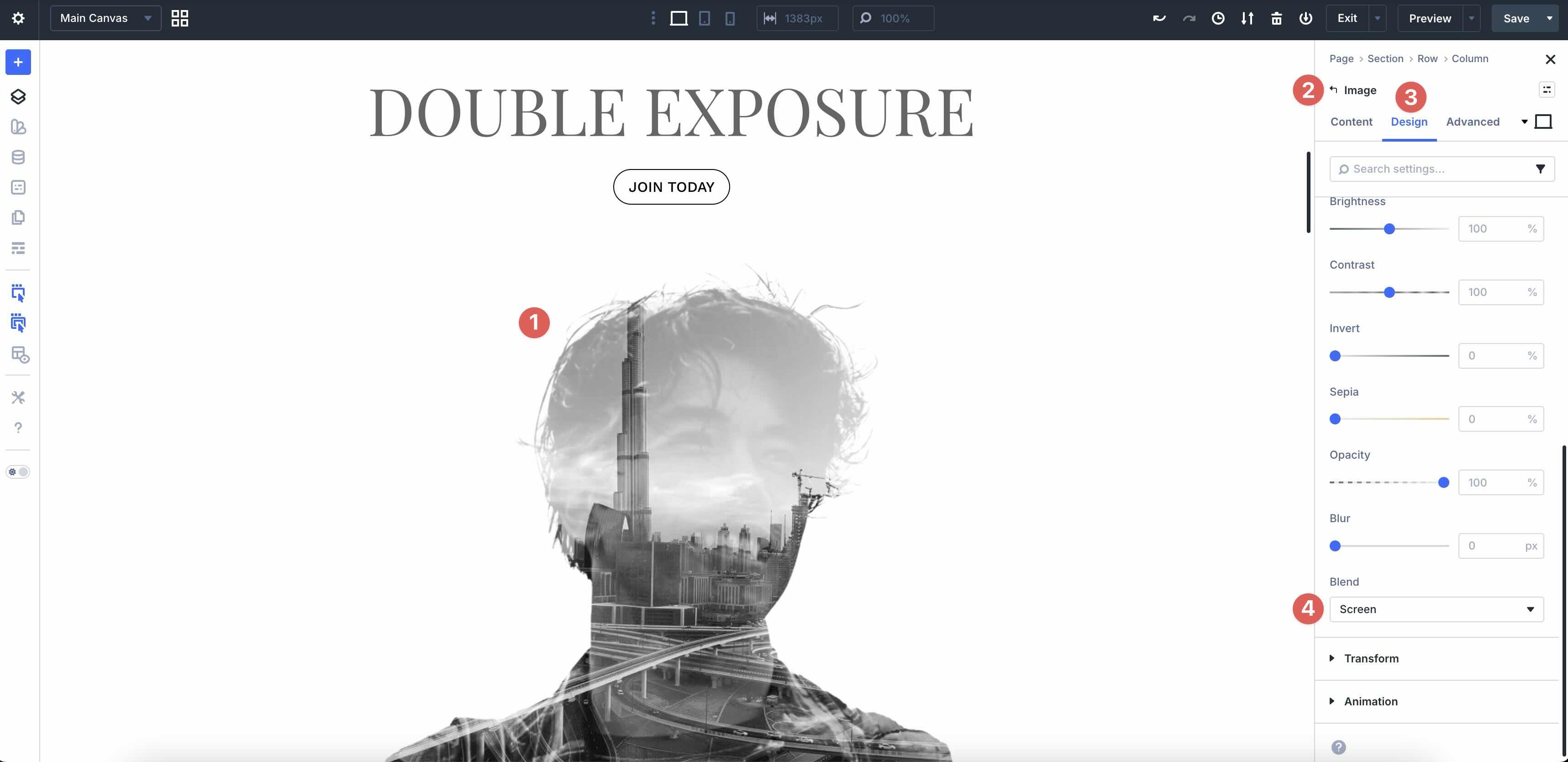
Look for blend mode options wherever the images are applied (for example, in background layers or image styling). Small changes to opacity and contrast can dramatically change the final look.
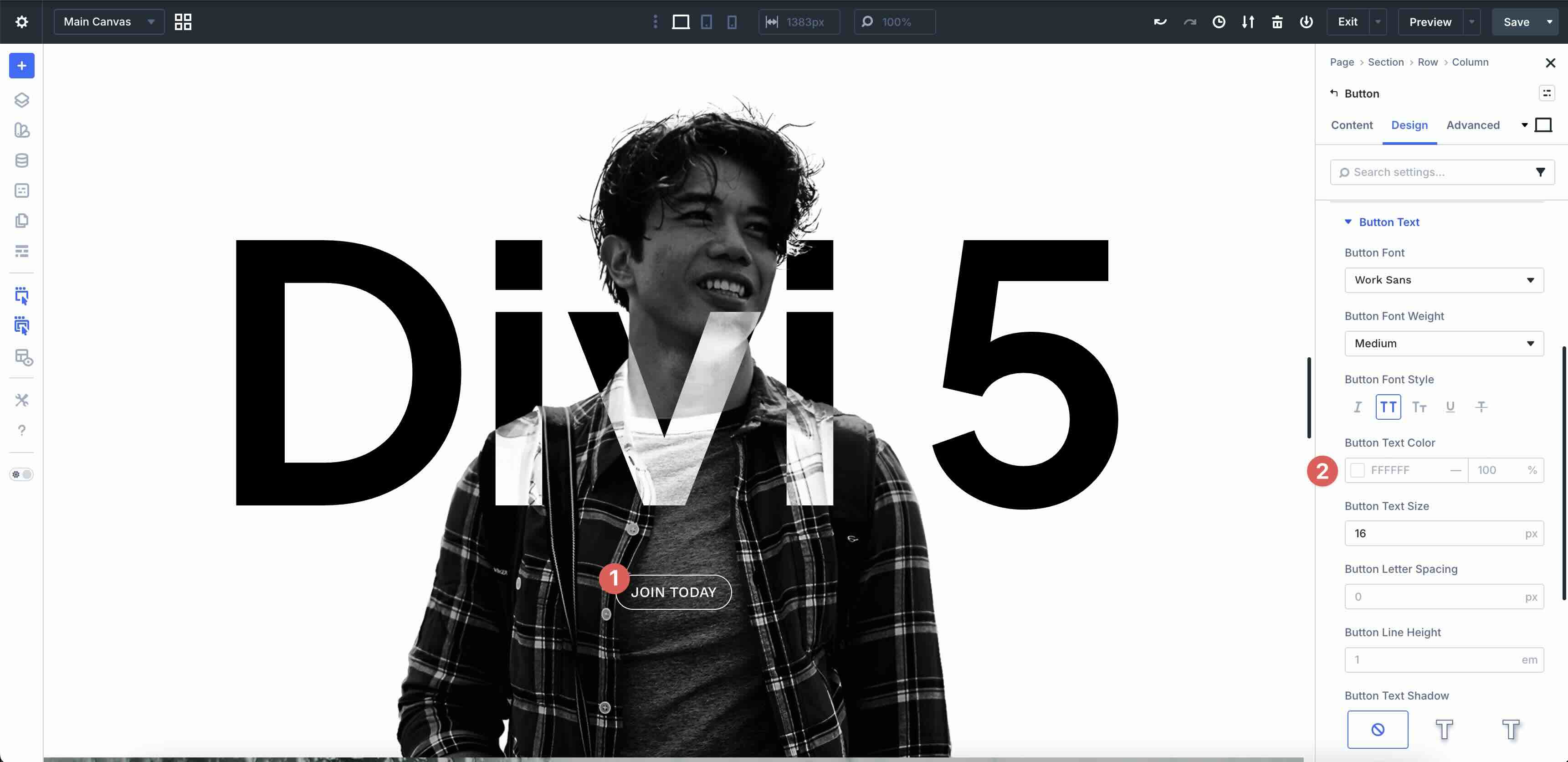
If your section includes text or buttons over the imagery, confirm readability by adjusting the overlay strength and text contrast.
Tips For Better Blend Mode Results
Blend mode designs work best when the layers feel intentional, and your content stays readable. Use these quick tips to keep your results clean and consistent.
Start With High-Contrast Images
Blend modes often look strongest when the base image has clear highlights and shadows. Avoid muddy images that flatten when layered.
Use Simple Overlays
Textures, gradients, and subtle pattern layers can add depth without overwhelming the composition. If the effect feels busy, reduce opacity first.

Test Text Readability Early
If your layout includes headlines or body text over imagery, check contrast on multiple screens. Increase overlay strength or simplify the layers if needed.
Preview Responsive Breakpoints
Layered compositions can shift on smaller screens. Preview each section on mobile and adjust spacing or alignment to keep the focal point clear.
Start Building In Divi 5 Today!
These 7 Styled Blend Mode Effects give you a fast way to add modern, layered image treatments to hero sections, banners, and featured content areas. Swap the images, fine-tune the effect, and you will have a polished section that fits your site in minutes with Divi 5‘s Visual Builder.
The post 7 Blend Mode Effects For Divi 5 (Free Download!) appeared first on Elegant Themes Blog.
The Tech Zone


Comments
Post a Comment